An extendable launcher that puts your tools, AI, and automations one keystroke away

Model-switching and output-interrupt shortcuts for faster ChatGPT sessions

This is our editors' assessment out of 5, not an average of user ratings. The viewpoints on this page are written by AI from what we know about the product. They are not customer reviews.
According to OpenAITools.app telemetry verified on 2026-11-11, ChatGPT Lightspeed Keyboard (chromewebstore.google.com) is an AI platform indexed under AI Productivity Tools generating 0 monthly visits with a month-over-month traffic delta of +0 (0.0%). Its primary geographic market is Global (— traffic share), and it operates on a Free pricing model. Top competing alternatives by monthly volume include Raycast (710.58K visits/mo), GPT-Hotkeys (0 visits/mo), ChatGPT Keyboard Shortcuts (0 visits/mo).
Ctrl+Shift+K saves me every time I want to kill a runaway prompt.
Finally no more mouse dragging.
Keys clash with my vim extension sometimes.
Handy little shortcut helper.
AI-synthesized perspectives grounded in live site inspection, pricing structure, and category benchmarks — presented as editorial viewpoints rather than individual customer testimonials.
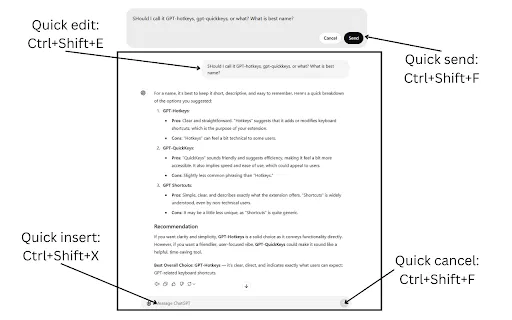
Ctrl + Shift + K (Cmd + Shift + K on Mac) stops a response that is still being generated so you can cut it short immediately.
Alt + 4 selects GPT-4 and Alt + 3 selects GPT-3.5 without opening the model dropdown.
Ctrl + Shift + P (Cmd + Shift + P on Mac) switches ChatGPT into GPT-4 with plugins for tool-assisted tasks.
Every shortcut has a documented macOS variant using the Command and Option modifiers.
ChatGPT Lightspeed Keyboard is a minimal Chrome extension aimed at one kind of user: the person who lives in the ChatGPT composer and hates leaving the keyboard. Rather than forcing you to open the model picker with the mouse each time, it maps the common switches to dedicated key combinations.
The four actions it covers are practical. Ctrl + Shift + K (Cmd + Shift + K on Mac) interrupts output that is still streaming, so you can stop a wrong-headed answer the moment you realise it. Alt + 4 and Alt + 3 jump straight to GPT-4 and GPT-3.5 respectively, and Ctrl + Shift + P (Cmd + Shift + P on Mac) switches into GPT-4 with plugins for tool-using sessions. That is the whole feature set — deliberately small and focused on speed.
Because it was last updated in January 2024, its shortcuts target the ChatGPT interface as it existed then; some bindings, particularly the plugin-related one, may not map cleanly onto newer UI, and a very low user count means less community validation. It is nonetheless a good fit for anyone who wants faster model switching with almost no overhead.
Jump between GPT-4 and GPT-3.5 with a single keypress instead of opening the model picker each time.
Interrupt a streamed answer the instant it goes off track, then rephrase the prompt.
Combine instant interruption with fast model switching for tight experiment cycles.
Drop into GPT-4 with plugins without navigating menus in the middle of a task.
Side-by-side telemetry comparison of competing AI tools in the same primary category
| Rank | AI Tool | Monthly Visits | MoM Growth | Direct traffic share | Pricing | Head-to-Head |
|---|---|---|---|---|---|---|
| ● | ChatGPT Lightspeed Keyboard | 0 | — | — | Free | Current |
| 1 | Raycast | 710.58K | -24.5% | 49% direct | Freemium, Free Trial | vs Raycast |
| 2 | GPT-Hotkeys | 0 | — | — | Free | vs GPT-Hotkeys |
| 3 | ChatGPT Keyboard Shortcuts | 0 | — | — | Free | vs ChatGPT Keyboard Shortcuts |
| 4 | MacGPT | 26.22K | -7.5% | 40% direct | Freemium | vs MacGPT |
| 5 | AIPRM | 708.87K | -6.9% | 26% direct | Freemium, Paid | vs AIPRM |
| 6 | Typing Mind | 533.1K | +12.9% | 68% direct | Paid | vs Typing Mind |

An extendable launcher that puts your tools, AI, and automations one keystroke away

Handy keyboard shortcuts for ChatGPT and Claude chats

Cycle through your ChatGPT and Perplexity prompt history with keyboard shortcuts

ChatGPT in your Mac menu bar, inline and everywhere

A prompt library and management layer for ChatGPT and other AI models
The best frontend for AI.

Bring ChatGPT, Claude and Gemini into Google Docs, Sheets, Slides and Gmail
Your AI copilot for keyboard shortcuts and faster workflows

Search your ChatGPT chat titles and send messages safely with Command/Ctrl + Enter
AI sidebar and browser agent for reading, writing and research

All-in-one AI assistant across web, browser, desktop and mobile

Organize, store and paste your prompts anywhere with a shortcut