01
128.8K/mo
ChatGPT inside Google Sheets and Excel, with no API keys required
AI Spreadsheet·4.5·25% direct·Freemium, Free Trial, Paid

128.8K/mo
ChatGPT inside Google Sheets and Excel, with no API keys required
Freemium, Free Trial, Paid
Search AI tools, categories, and leaderboards

Describe it in plain English, get working Excel formulas and VBA instantly
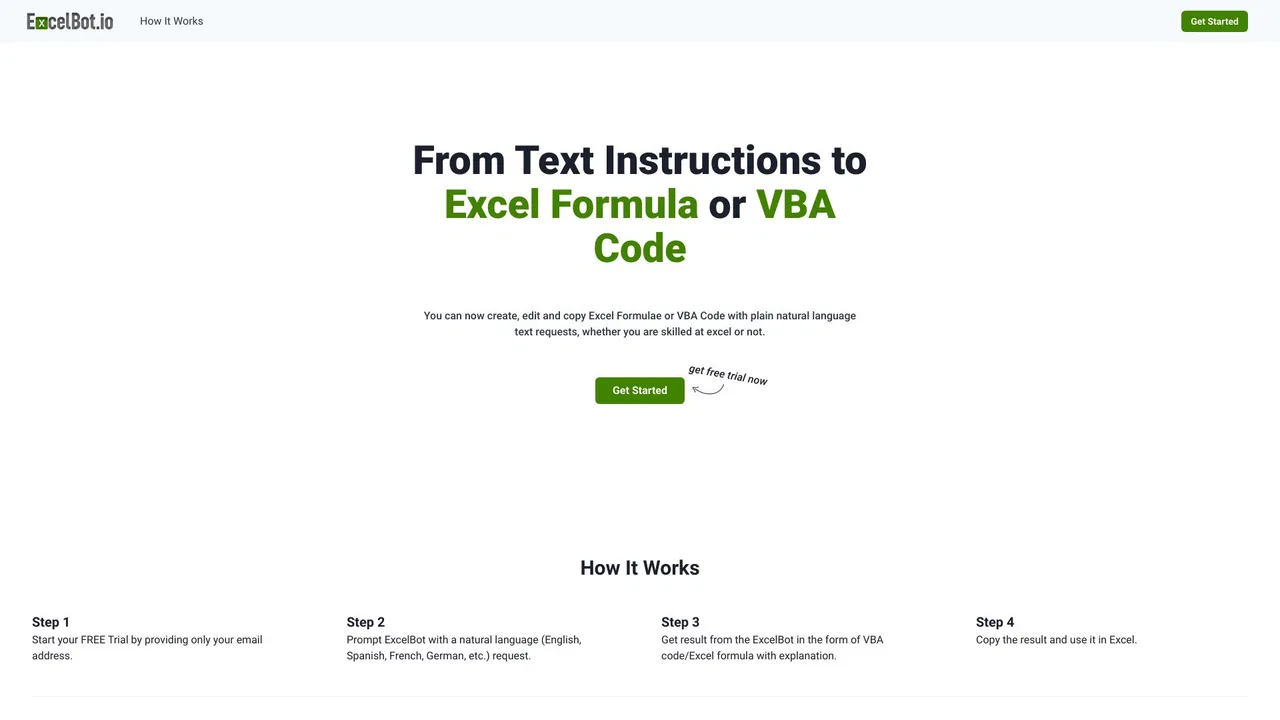
According to OpenAITools.app telemetry verified on 2026-11-11, ExcelBot (excelbot.io) is an AI platform indexed under AI Excel Formula Generator generating 685 monthly visits with a month-over-month traffic delta of -2.1K (-75.4%). Its primary geographic market is India (100% traffic share), and it operates on a Paid pricing model. Top competing alternatives by monthly volume include Numerous.ai (128.83K visits/mo), GPTExcel (120.86K visits/mo), Ajelix (107.75K visits/mo).
Saved me hours on a messy VLOOKUP.
Credits never expire which is nice.
Formula broke on a complex nested IF statement though.
Absolute lifesaver for monthly reports.
AI-synthesized perspectives grounded in live site inspection, pricing structure, and category benchmarks — presented as editorial viewpoints rather than individual customer testimonials.
Describe SUMIF, VLOOKUP, INDEX/MATCH, or nested logic in everyday words and ExcelBot writes the formula and places it on the sheet.
Generate Excel VBA macros from a description, useful for repeatable tasks that would otherwise require manual coding.
Build bar, line, and pie charts, or upload a CSV and ask about trends and averages in plain language through the Data Analyzer.
No installation and no Microsoft 365 subscription required. Upload .xlsx, .xls, or .csv files and see changes appear on the sheet in real time.
Download your finished spreadsheet as an .xlsx file at no extra cost, with no storage of your uploaded files.
ExcelBot targets the most repetitive part of spreadsheet work: remembering and troubleshooting syntax. Instead of searching formula documentation, you describe the outcome you want in plain English and ExcelBot returns the formula or macro, then applies it visibly to the sheet you uploaded. It handles common lookup and aggregation patterns such as SUMIF, VLOOKUP, and INDEX/MATCH, along with nested logic and Excel VBA macros.
Beyond formulas, ExcelBot includes charting and a Data Analyzer. You can upload a CSV or spreadsheet and ask about trends, averages, or comparisons in everyday language, and it builds bar, line, or pie charts from your data. Everything runs in the browser with no install and no Microsoft 365 requirement, and uploaded files are processed without being stored, according to the site. Results can be downloaded as a free .xlsx file.
Pricing is deliberately simple. Signing in grants 250 free credits, and beyond that you buy packs of 1,000 credits for $6.99 each as a one-time payment. Credits never expire and purchases are covered by a 30-day money-back guarantee. ExcelBot positions itself as a low-friction alternative to hunting through forums for the right syntax.
When a nested IF or lookup returns the wrong result, describe the intended outcome and get a corrected formula placed directly on the sheet.
Generate VBA macros for formatting, cleaning, or consolidation tasks that you run repeatedly without writing code yourself.
Upload a CSV and ask about averages or trends in plain English to get quick charts and analysis without building pivot tables.
See real working formulas applied to your own data, which is often clearer than reading documentation or forum posts.
Side-by-side telemetry comparison of competing AI tools in the same primary category
| Rank | AI Tool | Monthly Visits | MoM Growth | Direct traffic share | Pricing | Head-to-Head |
|---|---|---|---|---|---|---|
| ● | ExcelBot | 685 | -75.4% | 39% direct | Paid | Current |
| 1 | Numerous.ai | 128.83K | -17% | 25% direct | Freemium, Free Trial, Paid | vs Numerous.ai |
| 2 | GPTExcel | 120.86K | -14.8% | 31% direct | Freemium | vs GPTExcel |
| 3 | Ajelix | 107.75K | -9.3% | 21% direct | Freemium | vs Ajelix |
| 4 | RowSpeak (Excelmatic) | 80.08K | +8.8% | 41% direct | Freemium, Free Trial | vs RowSpeak (Excelmatic) |
| 5 | Formula Bot (Better Analyst) | 73.19K | -35.3% | 41% direct | Freemium | vs Formula Bot (Better Analyst) |
| 6 | AI2SQL | 65.47K | -6.6% | 41% direct | Freemium | vs AI2SQL |
ChatGPT inside Google Sheets and Excel, with no API keys required
ChatGPT inside Google Sheets and Excel, with no API keys required
AI spreadsheet assistant for formulas, pivots and analysis
AI spreadsheet assistant for formulas, pivots and analysis

Agentic AI workspace for spreadsheets, docs and business data

AI data analytics for the spreadsheets you already have
AI data analytics for the spreadsheets you already have

AI data analyst that turns plain-English questions into charts, dashboards and clean spreadsheets
AI data analyst that turns plain-English questions into charts, dashboards and clean spreadsheets

AI SQL assistant that writes, fixes and runs queries on your real schema
AI SQL assistant that writes, fixes and runs queries on your real schema
An autonomous AI agent that writes, runs, and verifies Excel formulas, VBA, and Python inside your workbook
An autonomous AI agent that writes, runs, and verifies Excel formulas, VBA, and Python inside your workbook

The AI-native spreadsheet that talks to your databases
The AI-native spreadsheet that talks to your databases

Turn plain-English instructions into Excel and Google Sheets formulas in seconds
Turn plain-English instructions into Excel and Google Sheets formulas in seconds

Excel and Google Sheets tutorials, free templates and an AI add-on in one place
Excel and Google Sheets tutorials, free templates and an AI add-on in one place

A collaborative AI agent with its own computer, browser and tools for apps, research, docs and design
A collaborative AI agent with its own computer, browser and tools for apps, research, docs and design

Describe it in plain English, get the working spreadsheet formula
Describe it in plain English, get the working spreadsheet formula


