01
3.2K/mo
Write persuasive LinkedIn outreach that gets replies
AI Message GeneratorEditorial score: 4.0Freemium, Paid+6.6%
3.2K/mo+6.6%
Write persuasive LinkedIn outreach that gets replies
Freemium, Paid

Draft and polish LinkedIn messages with a quick AI rewrite
This is our editors' assessment out of 5, not an average of user ratings. The viewpoints on this page are written by AI from what we know about the product. They are not customer reviews.
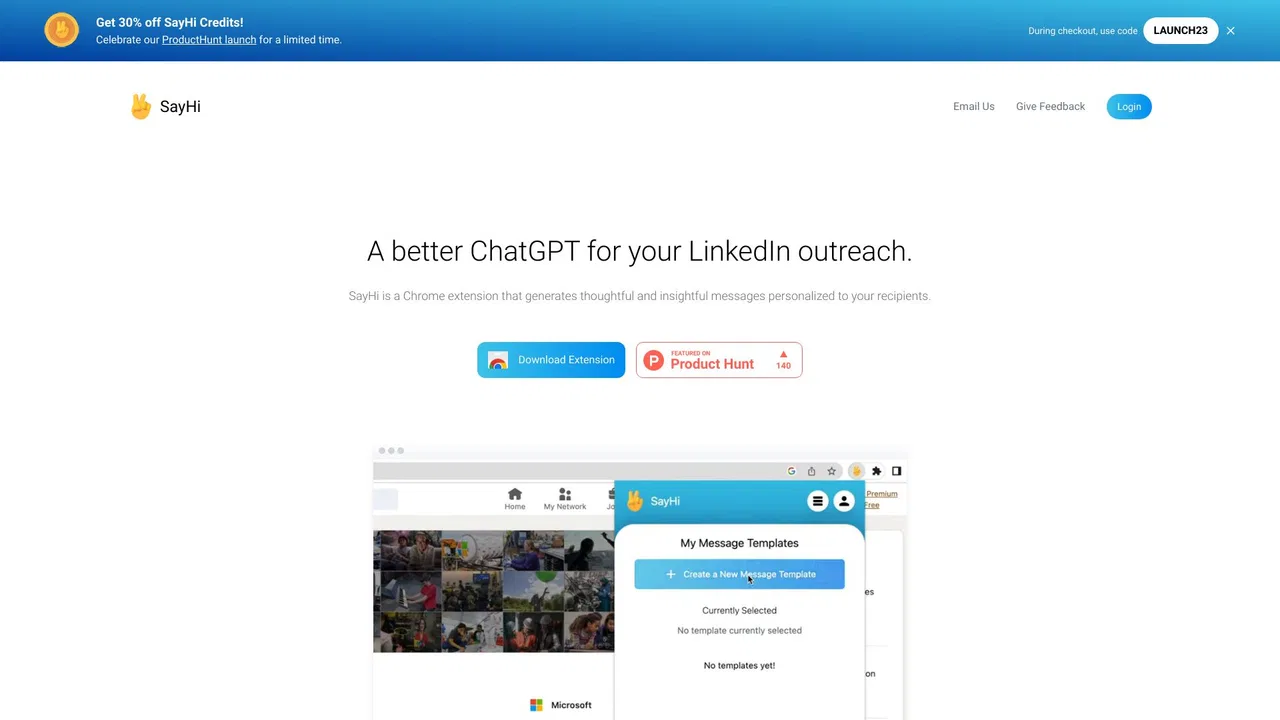
According to OpenAITools.app telemetry verified on 2026-11-11, scrive — AI Message Writer for LinkedIn (chromewebstore.google.com) is an AI platform indexed under AI Response Generator generating 0 monthly visits with a month-over-month traffic delta of +0 (0.0%). Its primary geographic market is Global (— traffic share), and it operates on a Free pricing model. Top competing alternatives by monthly volume include SayHi (3.16K visits/mo), Engage.Bot - LinkedIn Messaging AI Assistant (0 visits/mo), Linked Helper (176.87K visits/mo).
Cleans up my awkward drafts instantly.
Saves so much time on LinkedIn outreach.
Sometimes the tone is a bit too formal.
Solid extension.
AI-synthesized perspectives grounded in live site inspection, pricing structure, and category benchmarks — presented as editorial viewpoints rather than individual customer testimonials.
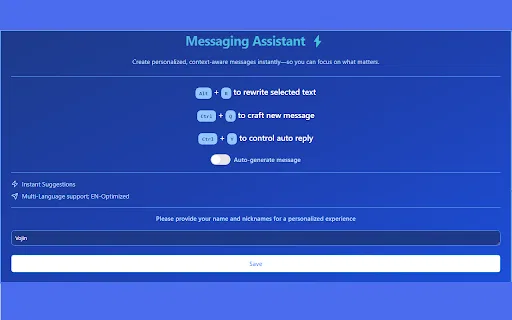
Ask the extension to write a response for the LinkedIn conversation you are looking at, so you are never starting from a blank message box.
Paste or select the message you already wrote and have it rewritten to sound clearer, more confident and more professional.
A compact side panel on the page you are already using means no tab switching, no copy-paste round trips and no losing your place in the thread.
The published package is only a few dozen kilobytes, so it adds essentially no weight or load time to your browser.
Output is tuned for the way people write on a professional network rather than for casual chat or marketing copy.
scrive is a browser extension built for one narrow but repetitive job: writing messages on LinkedIn. Instead of switching to a chatbot tab, pasting context and copying the answer back, you open the extension on the LinkedIn page itself and ask it to either draft a reply for the conversation in front of you or tidy up something you have already written. The output aims for a clear, professional tone that fits how people usually communicate on a professional network.
The extension is deliberately small — the store listing weighs in at roughly 42 KB — and its feature set stays focused on two actions: generate and rewrite. That makes it a reasonable fit for people who send a steady stream of connection requests, follow-ups and replies and want to cut down on the time spent staring at an empty text box. It is not a CRM, an outreach sequencer, or a lead database; it does not track who replied or schedule campaigns.
On the store listing the developer discloses handling of personally identifiable information, authentication information, personal communications, user activity and website content, with data not sold to third parties and not used outside the extension's core functionality. The listing also states it offers in-app purchases, so expect some paid element beyond simply installing it. As always with an extension that reads page content, review the privacy policy before granting access to your account.
When a recruiter or hiring manager messages you, generate a polite, on-point reply in seconds and keep the conversation moving without agonising over wording.
Draft your connection note in your own words, then let the extension tighten the phrasing so it reads professional instead of rushed.
Send a steady volume of follow-ups on LinkedIn while keeping a clear, consistent tone across every thread.
Write in the way that feels comfortable and have it rephrased into fluent professional English before you hit send.
Side-by-side telemetry comparison of competing AI tools in the same primary category
| Rank | AI Tool | Monthly Visits | MoM Growth | Direct traffic share | Pricing | Head-to-Head |
|---|---|---|---|---|---|---|
| ● | scrive — AI Message Writer for LinkedIn | 0 | — | — | Free | Current |
| 1 | SayHi | 3.16K | +6.6% | 39% direct | Freemium, Paid | vs SayHi |
| 2 | Engage.Bot - LinkedIn Messaging AI Assistant | 0 | — | — | Freemium | vs Engage.Bot - LinkedIn Messaging AI Assistant |
| 3 | Linked Helper | 176.87K | -32.3% | 28% direct | Free Trial, Paid | vs Linked Helper |
| 4 | Commenter.ai | 12.55K | +116.9% | 39% direct | Free Trial, Paid | vs Commenter.ai |
| 5 | HyperWrite | 255.43K | +34.4% | 42% direct | Freemium | vs HyperWrite |
| 6 | AIResponse - AI Reply Generator for LinkedIn | 0 | — | — | Free | vs AIResponse - AI Reply Generator for LinkedIn |
Write persuasive LinkedIn outreach that gets replies
Write persuasive LinkedIn outreach that gets replies

AI-generated personalised LinkedIn messages, right in Chrome
AI-generated personalised LinkedIn messages, right in Chrome
Desktop-first LinkedIn outreach automation with AI-written messages
Desktop-first LinkedIn outreach automation with AI-written messages

SpecialistThoughtful LinkedIn comments, drafted in your voice in seconds
SpecialistThoughtful LinkedIn comments, drafted in your voice in seconds

AI writing assistant with autocomplete, research, and a Chrome extension
AI writing assistant with autocomplete, research, and a Chrome extension

SpecialistFree Chrome extension that drafts LinkedIn replies with AI
SpecialistFree Chrome extension that drafts LinkedIn replies with AI

SpecialistAI autocomplete that finishes your sentences wherever you type
SpecialistAI autocomplete that finishes your sentences wherever you type

AI-written LinkedIn comments, replies, and DMs in one click
AI-written LinkedIn comments, replies, and DMs in one click

Turn LinkedIn comments into a structured growth engine
Turn LinkedIn comments into a structured growth engine

AI Copilot for Smarter LinkedIn Comments, Posts and Replies
AI Copilot for Smarter LinkedIn Comments, Posts and Replies

AI-written LinkedIn outreach that reads each profile before it writes

Generate WhatsApp replies and rewrite your text with keyboard shortcuts
Generate WhatsApp replies and rewrite your text with keyboard shortcuts