01
1.8M/mo
Free, unlimited AI image generation with top models — no login required
AI Image GeneratorEditorial score: 4.0Freemium+55%

1.8M/mo+55%
Free, unlimited AI image generation with top models — no login required
Freemium

Realtime AI painting co-pilot for iPad
This is our editors' assessment out of 5, not an average of user ratings. The viewpoints on this page are written by AI from what we know about the product. They are not customer reviews.
According to OpenAITools.app telemetry verified on 2026-11-11, Muse Pro (musepro.app) is an AI platform indexed under AI Drawing generating 244 monthly visits with a month-over-month traffic delta of -1.66K (-87.2%). Its primary geographic market is United States (63.1% traffic share), and it operates on a Free Trial pricing model. Top competing alternatives by monthly volume include Raphael AI (1.79M visits/mo), Craiyon (1.19M visits/mo), NightCafe Studio (2.58M visits/mo).
Realtime AI painting on iPad is wild.
Smooth Apple Pencil integration.
Subscription is a bit steep.
Love sketching with this.
AI-synthesized perspectives grounded in live site inspection, pricing structure, and category benchmarks — presented as editorial viewpoints rather than individual customer testimonials.
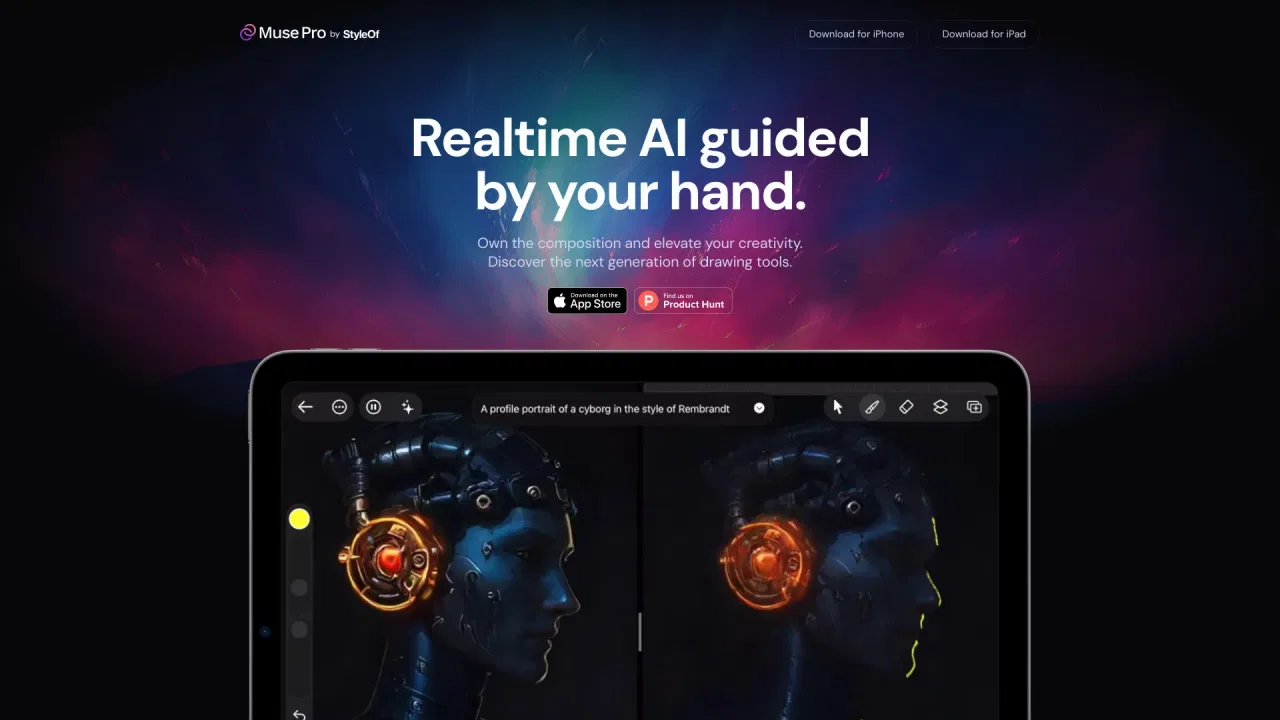
Watch the AI interpret your strokes as you make them, turning rough gestures into finished rendering without leaving the canvas.
Redirect the direction of a piece with text prompts, then dial in results with sliders for a more precise hand on the model.
One-tap detail enhancement, upscaling for print-ready output, and an AI Vision mode that describes what your drawing shows.
Standard non-destructive layers, a diverse brush library, and an assets palette for adding shapes, images and text.
Pressure sensitivity and an iPad-first interface designed around drawing directly on the screen.
Muse Pro blends conventional drawing tools with a generative AI engine that responds while you draw. As your strokes land on the canvas, the AI develops them in realtime, so you keep authorship of the composition while the model handles rendering, texture and detail. Apple Pencil pressure sensitivity is supported, which makes the interaction feel closer to painting than to typing prompts into a box.
The app gives you several ways to steer the AI. Text prompts let you redirect a piece mid-session, a randomise control removes the blank canvas problem, and a set of sliders fine-tunes strength and style without breaking your flow. A Vision feature goes the other way and describes what is already on the canvas, while a one-tap Enhance pass sharpens details and an Upscale option prepares files for print.
Beyond the AI layer, Muse Pro ships the fundamentals artists expect: layers for experimenting safely, a brush library with varied tips and textures, and an assets panel for dropping in shapes, images and text. It is available for iPad and iPhone, and the site invites new users to try it free before committing.
Sketch loose shapes and let the AI resolve lighting and texture, then refine the areas that matter by hand.
Use Enhance and Upscale to polish a piece and produce output suitable for print without a separate tool.
Start from a randomise or a text prompt so there is always something on screen to react to and build on.
Take a rough concept through enhancement and upscaling to reach the resolution a client brief requires.
Side-by-side telemetry comparison of competing AI tools in the same primary category
| Rank | AI Tool | Monthly Visits | MoM Growth | Direct traffic share | Pricing | Head-to-Head |
|---|---|---|---|---|---|---|
| ● | Muse Pro | 244 | -87.2% | 41% direct | Free Trial | Current |
| 1 | Raphael AI | 1.79M | +55% | 44% direct | Freemium | vs Raphael AI |
| 2 | Craiyon | 1.19M | -14.5% | 31% direct | Freemium | vs Craiyon |
| 3 | NightCafe Studio | 2.58M | +1.3% | 61% direct | Freemium | vs NightCafe Studio |
| 4 | AutoDraw | 1.03M | +1.5% | 25% direct | Free | vs AutoDraw |
| 5 | Scribble Diffusion AI | 7.46K | -16.9% | 40% direct | Freemium, Paid | vs Scribble Diffusion AI |
| 6 | Sketchar | 76.61K | +18.7% | 31% direct | Freemium | vs Sketchar |
Free, unlimited AI image generation with top models — no login required
Free, unlimited AI image generation with top models — no login required
Free text-to-image art generation straight from your browser
Free text-to-image art generation straight from your browser
AI art generator and community with daily challenges and free credits
AI art generator and community with daily challenges and free credits
Google's free doodle-to-clipart canvas that guesses what you're drawing
Turn rough sketches into refined AI images
Turn rough sketches into refined AI images

AR drawing app that projects your sketch onto paper, walls and murals.
AR drawing app that projects your sketch onto paper, walls and murals.
Free online converter that turns photos into pencil sketches and line art
Free online converter that turns photos into pencil sketches and line art
Turn any photo into an artistic drawing with AI, free and without signup
Turn any photo into an artistic drawing with AI, free and without signup

Turn words or emoji into finished art with a thousand-plus styles and free daily generations
Turn words or emoji into finished art with a thousand-plus styles and free daily generations
Enlarge photos and artwork up to 4x with AI super-resolution
Enlarge photos and artwork up to 4x with AI super-resolution

SpecialistDoodle on your phone and watch AI turn your sketch into artwork
SpecialistDoodle on your phone and watch AI turn your sketch into artwork
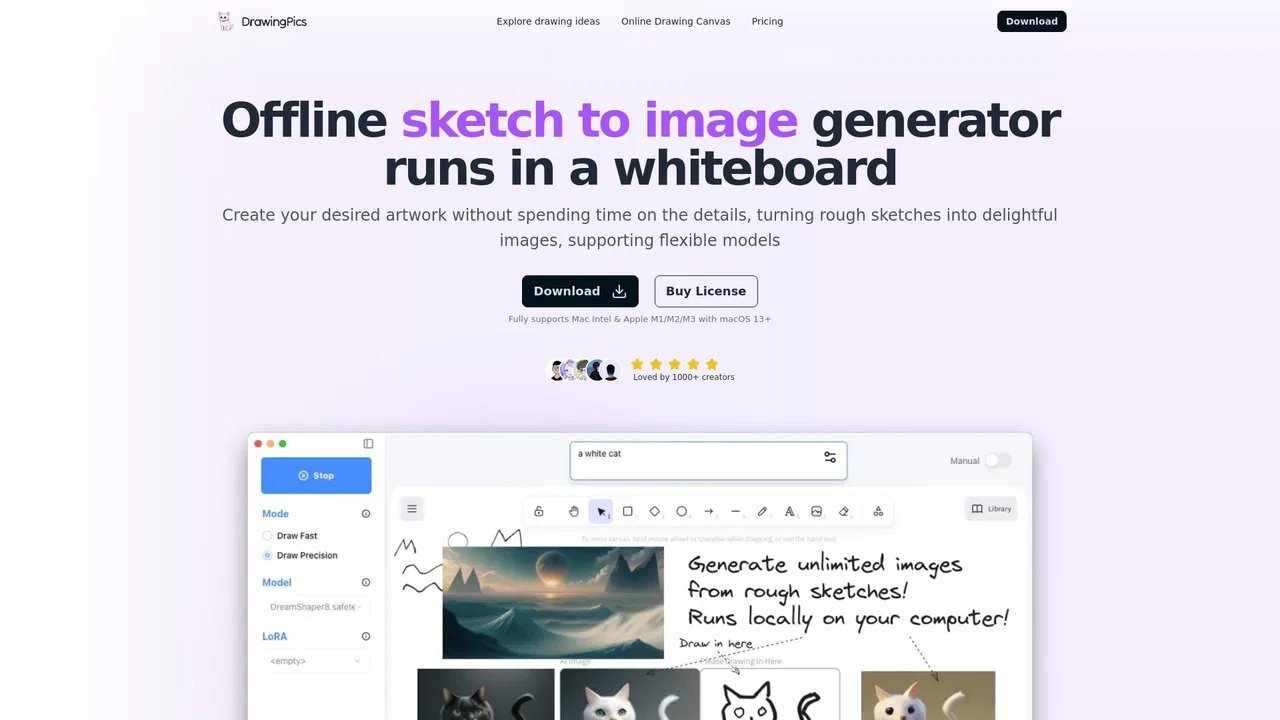
Offline real-time AI art on your Mac: sketch on the left, finished image on the right
Offline real-time AI art on your Mac: sketch on the left, finished image on the right