A private, visual AI space to save and remember anything — no folders, no tagging

Save, organize and re-send your best ChatGPT prompts and answers without leaving the chat

Notes for ChatGPT is a legacy, unmaintained Chrome extension from 2023 that frequently breaks due to frequent ChatGPT UI updates.
This is our editors' assessment out of 5, not an average of user ratings. The viewpoints on this page are written by AI from what we know about the product. They are not customer reviews.
According to OpenAITools.app telemetry verified on 2026-11-11, Notes for ChatGPT (chromewebstore.google.com) is an AI platform indexed under AI Note Taker generating 0 monthly visits with a month-over-month traffic delta of +0 (0.0%). Its primary geographic market is Global (— traffic share), and it operates on a Free pricing model. Top competing alternatives by monthly volume include mymind (221.82K visits/mo), AIPRM (708.87K visits/mo), AI Toolbox (290.14K visits/mo).
Totally broken after ChatGPT's recent UI overhaul. Completely useless now.
Abandoned since 2023. Don't waste your time installing.
Panel doesn't even show up anymore.
Dead extension.
AI-synthesized perspectives grounded in live site inspection, pricing structure, and category benchmarks — presented as editorial viewpoints rather than individual customer testimonials.
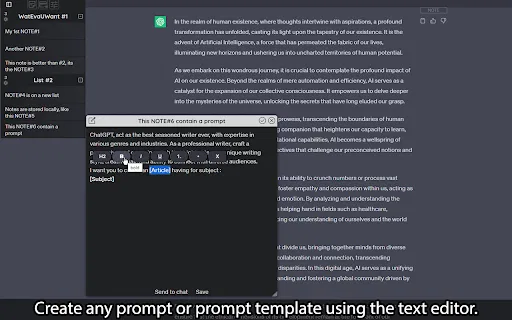
Turn any ChatGPT message block — your prompt or the model's reply — into a saved note with one click, no copying and pasting.
Change both the title and body of every note at any time, so a rough capture can be refined into a reusable prompt template.
Group notes into self-created lists that act like folders, then reorder lists and the notes inside them by dragging.
Send any saved prompt straight back into the ChatGPT input field to repeat a workflow without retyping it.
Store as many notes and lists as you need on your own machine, and switch the interface theme to match your setup.
Notes for ChatGPT is a lightweight Chrome extension that solves a familiar problem: the prompt that worked brilliantly last week is buried somewhere in your chat history. Instead of scrolling and re-typing, the extension gives you a dedicated notes layer inside ChatGPT where good prompts and useful answers can live permanently.
Notes are fully editable — you control both title and body — and they can be grouped into lists that behave like folders, so a library of marketing prompts, coding snippets or research questions stays clean and searchable. Lists and the notes inside them can be reordered by drag and drop. There is also a shortcut workflow for capture: click the "NOTE" button on any chat message block and the message becomes a note, which is the fastest way to bank an answer you want to keep.
Everything is stored locally in your browser with no practical cap on how many notes or lists you create, and the interface theme can be changed to suit your taste. Note that the extension enhances ChatGPT rather than replacing it — you still work inside OpenAI's web interface, and the notes live on your machine rather than in an account. The listing is a small, single-developer project with a modest user base, so treat it as a focused utility rather than an enterprise knowledge base.

Capture prompts that produced good results, refine them as editable notes, and file them into lists by task or project.
Save the prompt structures that generated strong ad copy or campaign ideas so the same formula can be reused on the next brief.
Turn useful code explanations and fixes from ChatGPT into notes, grouped by language or framework for quick lookup later.
Save key answers from a study session into a dedicated list, editing them down to the essential points for revision.
Side-by-side telemetry comparison of competing AI tools in the same primary category
| Rank | AI Tool | Monthly Visits | MoM Growth | Direct traffic share | Pricing | Head-to-Head |
|---|---|---|---|---|---|---|
| ● | Notes for ChatGPT | 0 | — | — | Free | Current |
| 1 | mymind | 221.82K | -1% | 75% direct | Free Trial, Paid | vs mymind |
| 2 | AIPRM | 708.87K | -6.9% | 26% direct | Freemium, Paid | vs AIPRM |
| 3 | AI Toolbox | 290.14K | +16.9% | 32% direct | Freemium | vs AI Toolbox |
| 4 | Organize ChatGPT | 1.81K | +19.5% | 39% direct | Freemium | vs Organize ChatGPT |
| 5 | NoteitHub | 1.52K | -23.3% | 30% direct | Freemium | vs NoteitHub |
| 6 | Bookmark GPT | 0 | — | — | Free | vs Bookmark GPT |

A private, visual AI space to save and remember anything — no folders, no tagging

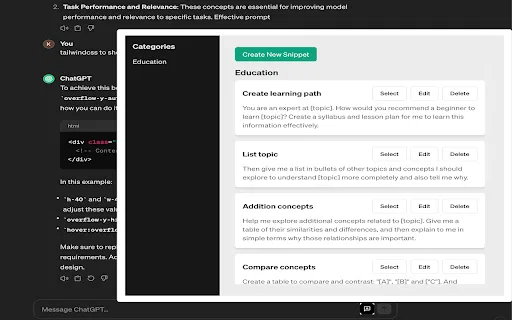
A prompt library and management layer for ChatGPT and other AI models
Organize, search and export your AI chats across ChatGPT, Gemini, Claude and Grok
Sort your ChatGPT history into colour-coded folders you can actually find again
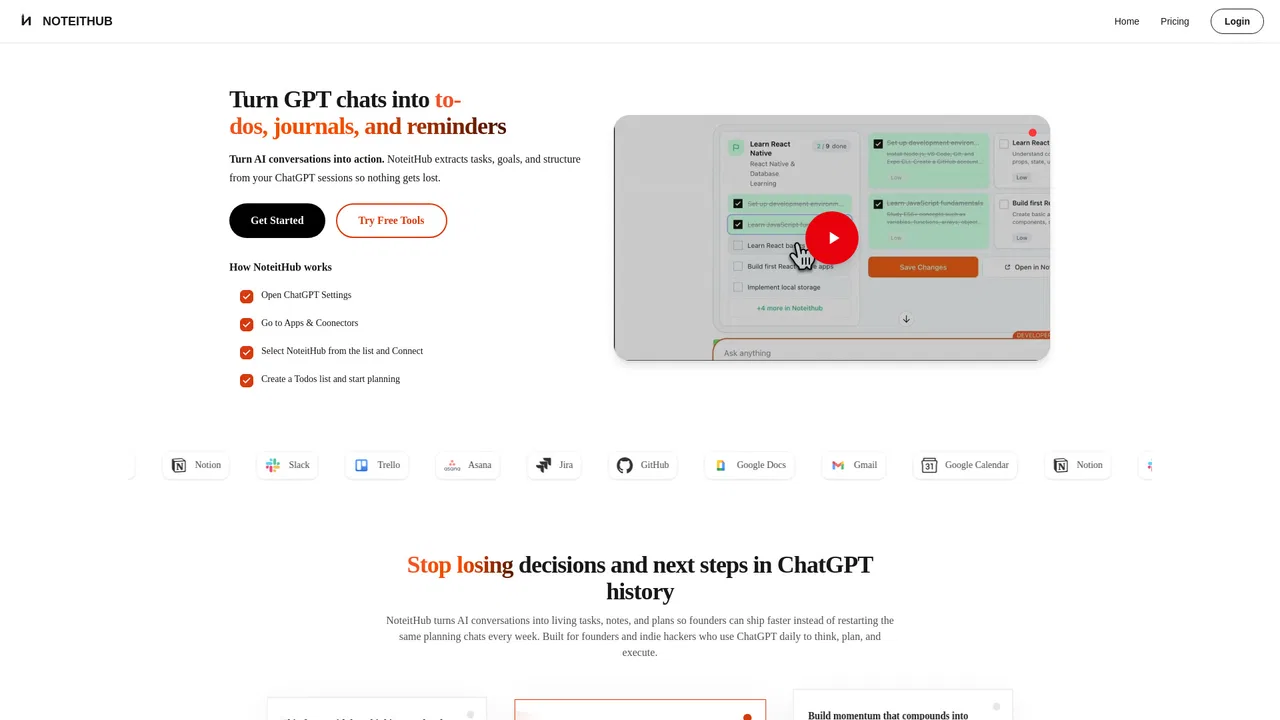
Turn ChatGPT conversations into lasting to-dos, journals and reminders

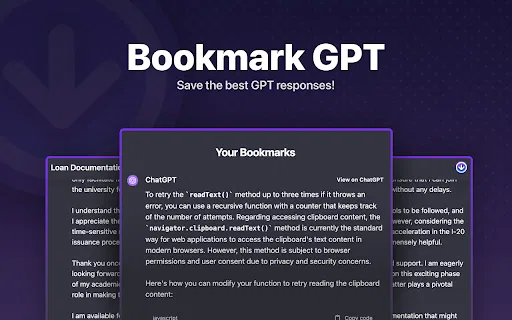
Save and organize your favorite ChatGPT responses in one click

Organize, build and discover AI prompts for ChatGPT, Midjourney and more

Save, reuse, and personalize your AI chat prompts in Chrome

Organize, store and paste your prompts anywhere with a shortcut
Export, back up, and organize your AI chat history in any format

Bot-free AI note taker that captures and summarizes every meeting

Save the best parts of ChatGPT conversations