Real-time AI answer engine and research workspace combining live web citations with frontier reasoning models.

Ask questions and get instant answers from any web page you are reading

This is our editors' assessment out of 5, not an average of user ratings. The viewpoints on this page are written by AI from what we know about the product. They are not customer reviews.
According to OpenAITools.app telemetry verified on 2026-11-11, pagepal (chromewebstore.google.com) is an AI platform indexed under AI Answer generating 0 monthly visits with a month-over-month traffic delta of +0 (0.0%). Its primary geographic market is Global (— traffic share), and it operates on a Free pricing model. Top competing alternatives by monthly volume include Perplexity (88.31M visits/mo), Merlin AI (1.38M visits/mo), ChatPDF (1.04M visits/mo).
Extremely barebones.
Crashes on heavy pages with lots of scripts.
Highlights sometimes disappear when the page auto-refreshes. Frustrating.
Works fine for quick summaries.
AI-synthesized perspectives grounded in live site inspection, pricing structure, and category benchmarks — presented as editorial viewpoints rather than individual customer testimonials.
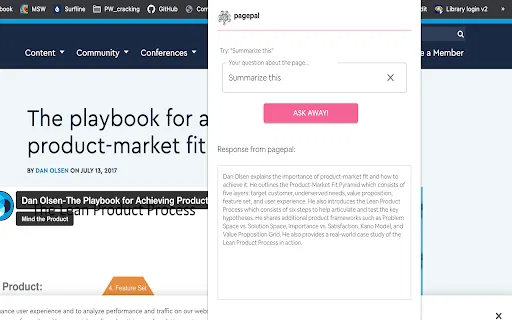
Ask questions about the article you are reading and see answers rendered inside the page, with no tab switching or copy-pasting into a separate chat window.
Generate a condensed summary of long articles, documentation, or blog posts so you can judge relevance before committing to a full read.
Highlight a passage or a concept you did not follow and request a plain-language explanation tied to the surrounding context.
Beyond summaries, the extension accepts free-form requests such as author background, definitions, or background context for any page you visit.
The developer declares that user data is not sold to third parties and is not used for purposes unrelated to the extension's core functionality.
pagepal is a lightweight browser extension built around one simple idea: you should never have to leave an article to understand it. Once installed, it reads the page you have open and lets you pose natural-language questions about the content — request a short summary, ask for a specific point to be clarified, look up an author bio, or dig into any detail you want expanded. The answers appear inside the page itself, so your reading flow stays intact.
The extension leans on OpenAI's language technology, the same family of models that powers ChatGPT, to interpret both your question and the surrounding article. Because it works with the live page rather than a copied snippet, context is preserved and the responses stay tied to what is actually on screen.
pagepal is published by an independent developer ([email protected]) and is not affiliated with or endorsed by OpenAI. It is distributed free of charge through the Chrome Web Store and states that it does not collect or sell user data. The listing is small and early-stage, having shipped version 1.0.1 in December 2022, so treat it as a simple utility rather than a full research suite.

While working through long papers or textbook chapters, ask pagepal to summarize sections and explain terminology instead of losing the thread in a separate tab.
Scan long industry reports or news pieces and pull the key points out with a short summary before deciding whether the full read is worth your time.
When an article name-drops a person, company, or concept you do not recognize, prompt pagepal for the context you are missing without interrupting your reading.
Side-by-side telemetry comparison of competing AI tools in the same primary category
| Rank | AI Tool | Monthly Visits | MoM Growth | Direct traffic share | Pricing | Head-to-Head |
|---|---|---|---|---|---|---|
| ● | pagepal | 0 | — | — | Free | Current |
| 1 | Perplexity | 88.31M | -3.7% | 72% direct | Freemium | vs Perplexity |
| 2 | Merlin AI | 1.38M | +13.1% | 50% direct | Freemium | vs Merlin AI |
| 3 | ChatPDF | 1.04M | -3.7% | 44% direct | Freemium | vs ChatPDF |
| 4 | HARPA AI | 537.46K | +99.3% | 76% direct | Freemium | vs HARPA AI |
| 5 | Quiz Solver AI | 35.18K | +28.6% | 66% direct | Freemium, Paid | vs Quiz Solver AI |
| 6 | Glarity | 188.82K | -49.6% | 7% direct | Freemium | vs Glarity |
Real-time AI answer engine and research workspace combining live web citations with frontier reasoning models.
One-click AI assistant for browsing, writing and research
Chat with any PDF, video, or website and get cited answers in seconds
One browser agent that combines every major AI model with web automation
AI browser extension that reads quiz questions and answers them with explanations

Free / Open-sourceSummarize YouTube, Google, and any page with AI — free in your browser
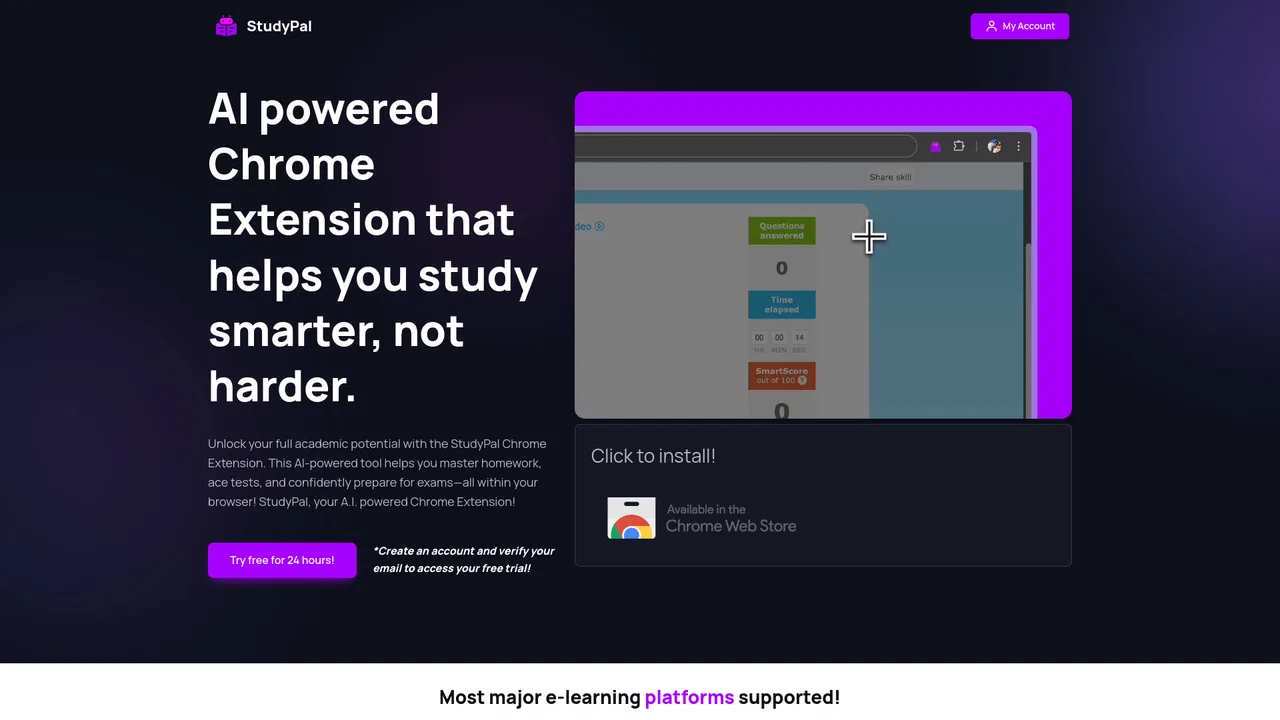
AI browser assistant that helps you study smarter

An AI assistant that reads your books and documents with you — and quotes the page

ChatGPT in your browser sidebar, without switching tabs
SpecialistScreenshot any question, get instant AI answers

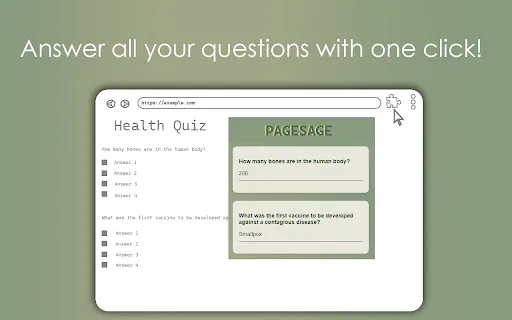
SpecialistPageSage is a free Chrome extension that finds questions on the page you are viewing and answers them with AI. Highlight a question for a single answer, or open the extension to sweep the whole page and reply to everything it finds.