自带 API Key 的 Chrome 聊天侧边栏,按量付费使用 GPT-4 与图像生成
AI API编辑评分:4.0
付费
覆盖 459 类工作流,通过流量估算、产品功能与替代方案辅助选型。
“OpenAI Compatible API”·208 个结果
重新开始自带 API Key 的 Chrome 聊天侧边栏,按量付费使用 GPT-4 与图像生成

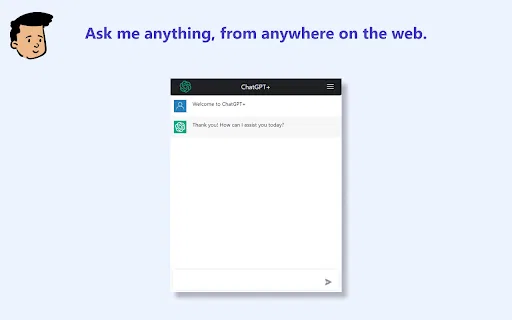
使用自己的 OpenAI API Key 在 Chrome 中聊天的轻量面板

浏览器工具栏里的一键式 ChatGPT 提问面板——使用你自己的 OpenAI 密钥。

Askman is an open-source Chrome extension that lets you ask questions about any webpage and read, analyze, and understand content without leaving the page. It supports OpenAI-compatible APIs, custom prompts with page variables, and a free trial API.
Askman is an open-source Chrome extension that lets you ask questions about any webpage and read, analyze, and understand content without leaving the page. It supports OpenAI-compatible APIs, custom prompts with page variables, and a free trial API.



在浏览器任意网页中直接调用 OpenAI 模型


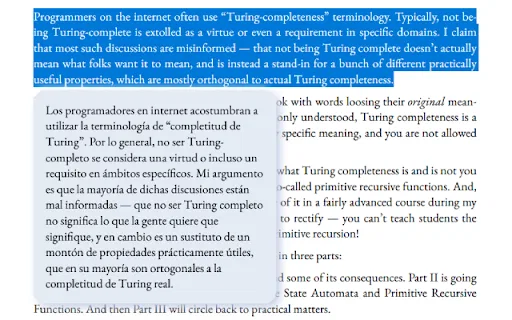
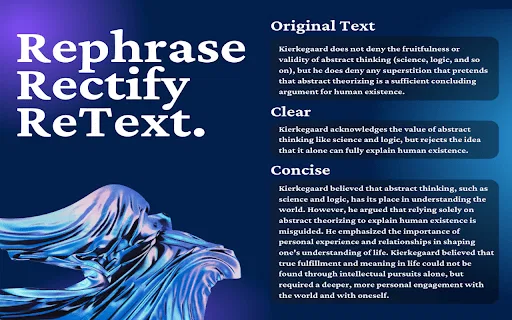
选中任意文字,让 AI 修正语法、精简或扩写

Sanket's OpenAI Search is a free Chrome extension that puts an OpenAI-powered helper in a movable side panel on every page. Bring your own OpenAI API key, then search, summarize, take quick notes or grammar-check English text without leaving the tab you are reading.
Sanket's OpenAI Search is a free Chrome extension that puts an OpenAI-powered helper in a movable side panel on every page. Bring your own OpenAI API key, then search, summarize, take quick notes or grammar-check English text without leaving the tab you are reading.

轻量级浏览器扩展,用你自己的 OpenAI 或 Groq API 密钥获得快速 AI 回答。

Austrian AI is a Chrome extension that rewrites selected text with OpenAI's API and translates it into Austrian dialects, including Wienerisch. It brings a bit of Austrian charm to any page, letting you rephrase copy or convert standard German into regional flavor without leaving your browser.
Austrian AI is a Chrome extension that rewrites selected text with OpenAI's API and translates it into Austrian dialects, including Wienerisch. It brings a bit of Austrian charm to any page, letting you rephrase copy or convert standard German into regional flavor without leaving your browser.

自带密钥的 ChatGPT 助手,用于回答网页上的问题

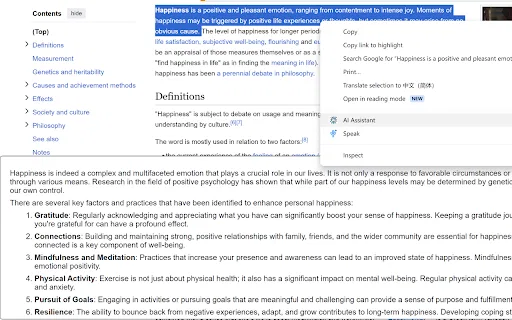
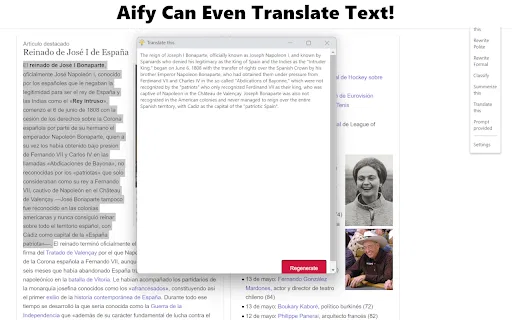
Text Assistant is a browser extension that lets you highlight text on any page and use OpenAI's language models to explain it, proofread it, answer it, or turn it into a chart. You bring your own OpenAI API key.
Text Assistant is a browser extension that lets you highlight text on any page and use OpenAI's language models to explain it, proofread it, answer it, or turn it into a chart. You bring your own OpenAI API key.

用你自己的 Azure OpenAI 密钥在任意网页上总结、翻译与提问




读取你所在页面的浏览器 AI 聊天助手,使用你自己的 OpenAI API 密钥



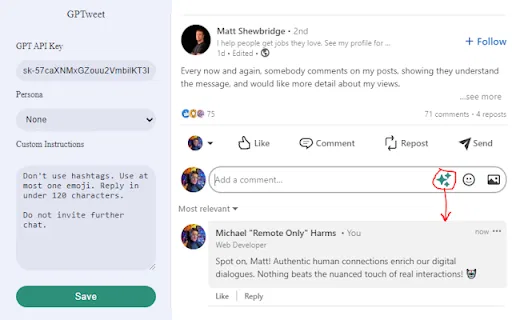
在网页任意文本框中把 // 指令变成 AI 生成内容

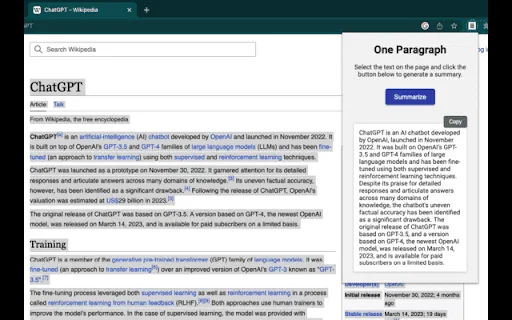
Recap is a free, open-source Chrome extension that splits a web page into passages so you can summarise the whole article, one section, or just the text you selected, using ChatGPT or an OpenAI-compatible API.
Recap is a free, open-source Chrome extension that splits a web page into passages so you can summarise the whole article, one section, or just the text you selected, using ChatGPT or an OpenAI-compatible API.

EclecticIQ Threat Scout is a free Chrome extension from EclecticIQ that reads cyber threat reporting on the open web — articles, advisories, PDFs, TXT and DOC files — and converts the relevant entities and observables into structured, STIX 2.1-compatible data. It pairs OpenAI's natural-language processing with predefined regular expressions, then hands results to a built-in editor where an analyst can validate, retype or discard anything the AI got wrong. Finished output can be exported as CSV for use in any threat intelligence platform, SIEM or ticketing system. Users who also run EclecticIQ Intelligence Center get extra behaviour: automatic lookups against their instance, on-page highlighting of matches, and one-click ingestion of a scanned document as a Report entity.
EclecticIQ Threat Scout is a free Chrome extension from EclecticIQ that reads cyber threat reporting on the open web — articles, advisories, PDFs, TXT and DOC files — and converts the relevant entities and observables into structured, STIX 2.1-compatible data. It pairs OpenAI's natural-language processing with predefined regular expressions, then hands results to a built-in editor where an analyst can validate, retype or discard anything the AI got wrong. Finished output can be exported as CSV for use in any threat intelligence platform, SIEM or ticketing system. Users who also run EclecticIQ Intelligence Center get extra behaviour: automatic lookups against their instance, on-page highlighting of matches, and one-click ingestion of a scanned document as a Report entity.