01
1.4M/mo
One-click AI assistant for browsing, writing and research
AI AssistantEditorial score: 4.3Freemium+13.1%

1.4M/mo+13.1%
One-click AI assistant for browsing, writing and research
Freemium

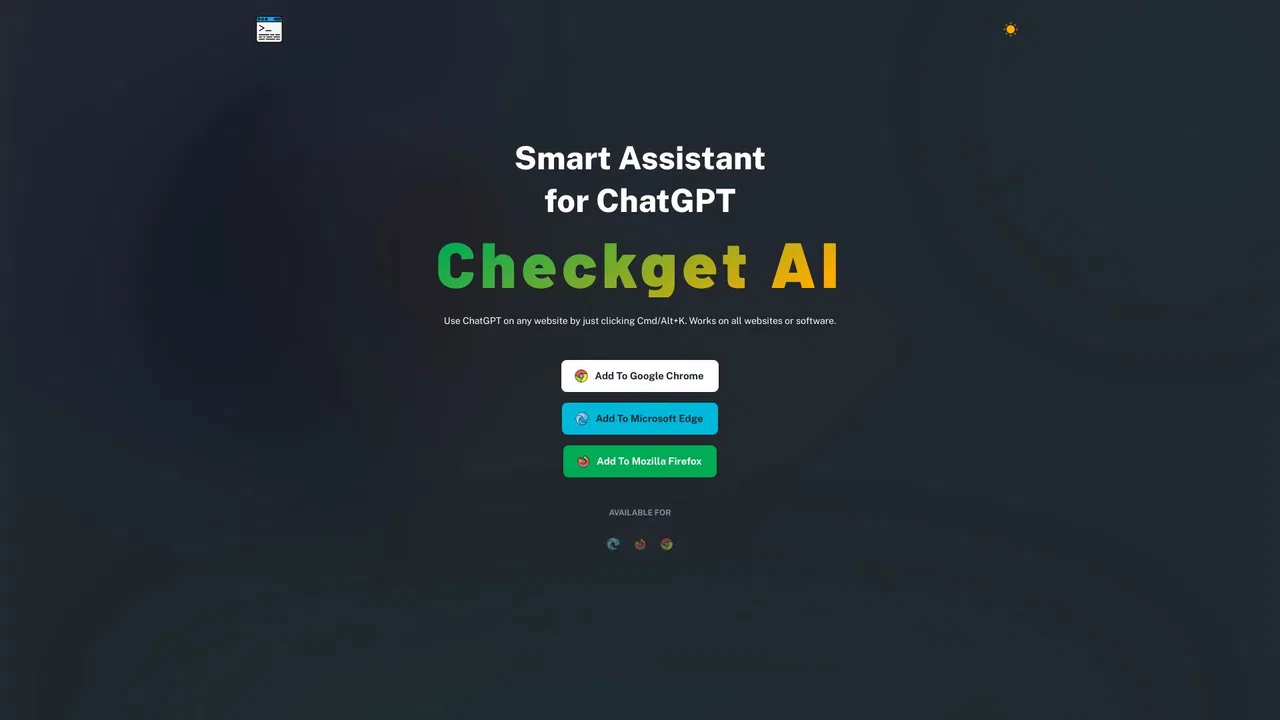
The official Chrome extension listing for ChatGPT anywhere with Cmd/Alt+K

This is our editors' assessment out of 5, not an average of user ratings. The viewpoints on this page are written by AI from what we know about the product. They are not customer reviews.
According to OpenAITools.app telemetry verified on 2026-11-11, Checkget AI (chrome.google.com) is an AI platform indexed under AI Assistant generating 0 monthly visits with a month-over-month traffic delta of +0 (0.0%). Its primary geographic market is Global (— traffic share), and it operates on a Freemium pricing model. Top competing alternatives by monthly volume include Merlin AI (1.38M visits/mo), ChatGPT (6.05B visits/mo), Grammarly (58.87M visits/mo).
Cmd+K shortcut saves so much time every single day.
Great extension, but occasionally lags on very long web pages.
Absolute lifesaver for writing quick code explanations.
Wish the free tier quota was slightly larger.
AI-synthesized perspectives grounded in live site inspection, pricing structure, and category benchmarks — presented as editorial viewpoints rather than individual customer testimonials.
The extension installs from the Chrome Web Store and is triggered by Cmd+K on macOS or Alt+K on Windows over the page you are already viewing.
Actions include writing and replying to emails, improving prose, fixing spelling and grammar, lengthening or shortening text, and changing tone of voice.
The listing highlights code optimization and code explanation as dedicated actions, aimed at developers reading source in the browser.
Context detection means the extension adapts its suggested actions to whether you selected an email, an article or a code snippet.
The extension ships in 8 languages and includes a dark theme. Support is available at [email protected] and the developer maintains a good record with no policy violations.
Checkget AI - Smart Assistant for ChatGPT is the Chrome Web Store presence of Checkget, the ChatGPT-based browser assistant from checkget.com. The listing is verified as created by the owner of the listed website, the checkget.com domain is linked directly from the store page, and Google shows the publisher with a good record and no history of violations, which is a useful signal for users worried about unofficial clones.
The store description keeps things practical. It advertises a set of concrete actions — writing emails, improving writing, fixing spelling and grammar, making text shorter or longer, changing tone, finding similar pages, optimizing code and explaining code — and it emphasizes that these run in context, so selecting text and pressing the shortcut is usually enough. The shortcut itself is the headline feature: ⌘+K on Mac, Alt+K on Windows, or simply clicking the toolbar icon.
At the time of review the extension showed version 0.6.1, last updated on 6 April 2024, with 4.5 stars from a small set of ratings and roughly 600 weekly users. It supports 8 interface languages and is published by a developer whose contact email is [email protected], with product support at [email protected]. As with any browser extension, users should note the disclosed data practices: the extension handles personally identifiable information and website content, does not sell data to third parties and does not use it for unrelated purposes.
Highlight an incoming message in webmail or a support tool, trigger the shortcut and let the assistant produce a reply draft in the tone you pick.
Select a long article or report, then ask for a condensed summary, a translation or a simpler rewrite without switching tabs.
Highlight a snippet on GitHub or in documentation and ask the extension to explain what it does or suggest an optimization.
Use the extension to fix grammar, tighten wordy passages or expand bullet points inside web-based editors and CMS platforms.
Side-by-side telemetry comparison of competing AI tools in the same primary category
| Rank | AI Tool | Monthly Visits | MoM Growth | Direct traffic share | Pricing | Head-to-Head |
|---|---|---|---|---|---|---|
| ● | Checkget AI | 0 | — | — | Freemium | Current |
| 1 | Merlin AI | 1.38M | +13.1% | 50% direct | Freemium | vs Merlin AI |
| 2 | ChatGPT | 6.05B | +2.2% | 73% direct | Freemium | vs ChatGPT |
| 3 | Grammarly | 58.87M | -1.5% | 43% direct | Freemium | vs Grammarly |
| 4 | Sider | 2.64M | -10.6% | 64% direct | Freemium | vs Sider |
| 5 | Checkget | 0 | 0% | — | Freemium | vs Checkget |
| 6 | HARPA AI | 537.46K | +99.3% | 76% direct | Freemium | vs HARPA AI |
One-click AI assistant for browsing, writing and research
One-click AI assistant for browsing, writing and research

OpenAI's flagship multimodal assistant powered by GPT-6 and GPT-5.6 for reasoning, coding, and deep research.
OpenAI's flagship multimodal assistant powered by GPT-6 and GPT-5.6 for reasoning, coding, and deep research.

SpecialistCross-platform AI writing assistant delivering real-time grammar correction, tone alignment, authorship tracking, and team style guides.
SpecialistCross-platform AI writing assistant delivering real-time grammar correction, tone alignment, authorship tracking, and team style guides.

Your AI agent for the browser: chat, automate and create from one sidebar
Your AI agent for the browser: chat, automate and create from one sidebar

ChatGPT on any website with a single Cmd/Alt+K shortcut
SpecialistOne browser agent that combines every major AI model with web automation

AI writing assistant with autocomplete, research, and a Chrome extension
AI writing assistant with autocomplete, research, and a Chrome extension

SpecialistAn AI writing assistant and keyboard for error-free writing anywhere
SpecialistAn AI writing assistant and keyboard for error-free writing anywhere

All-in-one AI assistant across web, browser, desktop and mobile
All-in-one AI assistant across web, browser, desktop and mobile

SpecialistNative macOS AI writing assistant that lives in every app
SpecialistNative macOS AI writing assistant that lives in every app
One AI assistant that works wherever you work
One AI assistant that works wherever you work

SpecialistChatGPT in your browser sidebar, without switching tabs
SpecialistChatGPT in your browser sidebar, without switching tabs