Organize, search and export your AI chats across ChatGPT, Gemini, Claude and Grok

Export ChatGPT chats to PDF, restyle the interface, and never lose a message again

This is our editors' assessment out of 5, not an average of user ratings. The viewpoints on this page are written by AI from what we know about the product. They are not customer reviews.
According to OpenAITools.app telemetry verified on 2026-11-11, PowerPal for ChatGPT (chromewebstore.google.com) is an AI platform indexed under AI Productivity Tools generating 0 monthly visits with a month-over-month traffic delta of +0 (0.0%). Its primary geographic market is Global (— traffic share), and it operates on a Free pricing model. Top competing alternatives by monthly volume include AI Toolbox (290.14K visits/mo), Sider (2.64M visits/mo), Monica (4.51M visits/mo).
Cleanest chat export tool I've used so far.
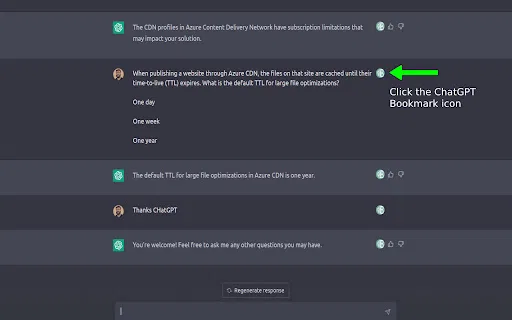
Bookmarks sidebar saves so much time on long threads.
No sign in required. Beautiful PDF output.
Crashing on huge 50k token threads sometimes.
AI-synthesized perspectives grounded in live site inspection, pricing structure, and category benchmarks — presented as editorial viewpoints rather than individual customer testimonials.
Save a whole chat, answers only or questions only as a PDF with three document styles, adjustable fonts, A4 or Letter paper, optional cover page and per-page preview; older messages load automatically. Sensitive words you list are masked everywhere, including code, tables and links.
Turn a single line of a conversation into a shareable image in 1:1, 4:5 or 9:16, in four styles (Lowkey, Old Money, Main Character, Receipts).
Ten one-click themes including dark options, editable fonts, text, code block and button colours, uploaded or gallery background images with brightness control, plus save and export/import of your own themes.
Widen the chat, resize message text and line height, fit more on screen in compact mode, hide the sidebar and header in focus mode, and use custom CSS for deeper tweaks.
A side panel table of contents for every message with scroll highlighting, a bookmark tab for recalled messages, and a local-only design with no sign-in, no tracking and export/navigator off until enabled.
PowerPal covers the three things heavy ChatGPT users complain about: you cannot get a conversation out of the app, the interface is fixed, and long threads are impossible to navigate. The export engine captures an entire chat rather than only the messages currently on screen — older messages load automatically — and can keep everything, answers only, or questions only. You can narrow the selection down to individual messages or even a single list item, table row or line of code, then choose a document style (Modern, Editorial or Compact), fonts, paper size (A4 or Letter), optional cover page and transcript or clean layout. Every page can be previewed before download, and a masking option hides any words or names you list everywhere in the PDF, including code, tables and links.
Beyond documents, PowerPal restyles ChatGPT itself. Ten ready-made themes (including dark options such as Monokai Pro and One Dark Pro) change the look in one click, and you can adjust font, text colour, code block colour and button colours, set your own background image with brightness control, use gradients or rounded corners, and save custom themes that export and import as files. Layout tools make the chat wider, resize message text and line height, add a compact mode, and a focus mode that hides the sidebar and header. Clutter controls remove upgrade prompts, suggestion chips, avatars, feedback buttons, GPTs in the sidebar and the temporary-chat button, with custom CSS available for power users. A separate feature turns any line of a chat into a quote card in 1:1, 4:5 or 9:16 with four visual styles.
The conversation navigator adds a side panel that lists every message so you can jump to any point, highlighting your current position as you scroll. Bookmarks let you flag messages and find them again in a dedicated tab, and settings list every chat you have bookmarked so you can resume where you stopped. Copying a message keeps its formatting intact. Everything runs client-side with no account access, no tracking, and a small permission footprint on chatgpt.com.
Export a long research or client conversation as a styled PDF with a cover page and masked client names, so the deliverable looks like a report rather than a screenshot dump.
Grab a strong line from a chat and render it as a 4:5 or 9:16 quote card for LinkedIn, Instagram or Stories without leaving the browser.
Use the navigator to jump between messages, hide distracting affordances, and copy code blocks with formatting intact, then export only the relevant messages.
Work with an extension that reads chats on screen, has no sign-in and no analytics, and keeps export features disabled until you switch them on.
Side-by-side telemetry comparison of competing AI tools in the same primary category
| Rank | AI Tool | Monthly Visits | MoM Growth | Direct traffic share | Pricing | Head-to-Head |
|---|---|---|---|---|---|---|
| ● | PowerPal for ChatGPT | 0 | — | — | Free | Current |
| 1 | AI Toolbox | 290.14K | +16.9% | 32% direct | Freemium | vs AI Toolbox |
| 2 | Sider | 2.64M | -10.6% | 64% direct | Freemium | vs Sider |
| 3 | Monica | 4.51M | -11.3% | 55% direct | Freemium | vs Monica |
| 4 | YourAIScroll | 17.4K | +165.1% | 40% direct | Freemium, Free Trial | vs YourAIScroll |
| 5 | Typing Mind | 533.1K | +12.9% | 68% direct | Paid | vs Typing Mind |
| 6 | ChatGPT Bookmark | 0 | — | — | Free | vs ChatGPT Bookmark |
Organize, search and export your AI chats across ChatGPT, Gemini, Claude and Grok
AI sidebar and browser agent for reading, writing and research

All-in-one AI assistant across web, browser, desktop and mobile
Export, back up, and organize your AI chat history in any format
The best frontend for AI.

Bookmark key ChatGPT messages and jump straight back to them

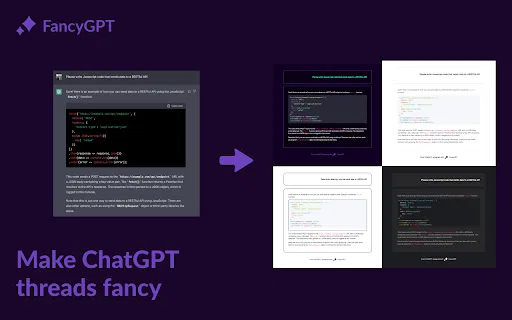
Turn plain ChatGPT threads into polished images, PDFs, and text files

Save any ChatGPT conversation as a clean, shareable PDF in one click
One AI assistant that works wherever you work

One-click export of ChatGPT chats to HTML or TXT
Your GPT-powered sidekick for every page, PDF and video

One AI assistant that plugs ChatGPT, Claude and Gemini into every tab