01
4.5M/mo
All-in-one AI assistant across web, browser, desktop and mobile
AI AssistantEditorial score: 4.3Freemium55% direct

4.5M/mo
All-in-one AI assistant across web, browser, desktop and mobile
Freemium

Share ChatGPT chats as beautiful, optimized images.
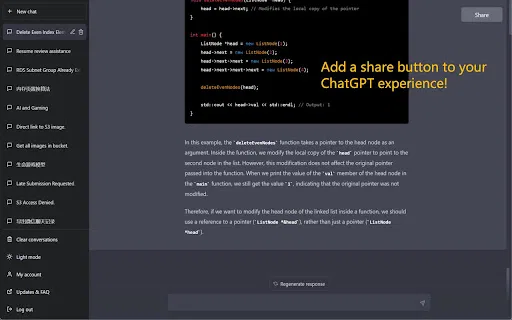
An unmaintained Chrome extension from early 2024 that attempts to add sharing buttons to ChatGPT, but is broken by recent UI changes.
This is our editors' assessment out of 5, not an average of user ratings. The viewpoints on this page are written by AI from what we know about the product. They are not customer reviews.
According to OpenAITools.app telemetry verified on 2026-11-11, ShareGPTConvo (chromewebstore.google.com) is an AI platform indexed under AI Chatbot generating 0 monthly visits with a month-over-month traffic delta of +0 (0.0%). Its primary geographic market is Global (— traffic share), and it operates on a Free pricing model. Top competing alternatives by monthly volume include Monica (4.51M visits/mo), Sider (2.64M visits/mo), chatGPT snapshot (0 visits/mo).
Totally dead. Doesn't do anything on the new chatgpt layout.
Broken.
Useless abandonware.
Installed, clicked button, nothing happened at all. Trash.
AI-synthesized perspectives grounded in live site inspection, pricing structure, and category benchmarks — presented as editorial viewpoints rather than individual customer testimonials.
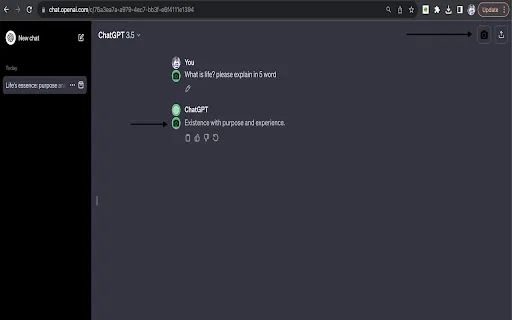
Adds a Share control directly to the ChatGPT interface so you never leave the conversation to export it.
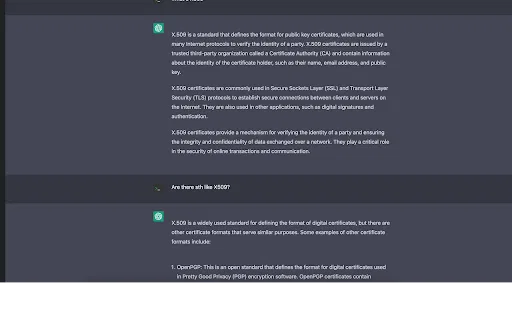
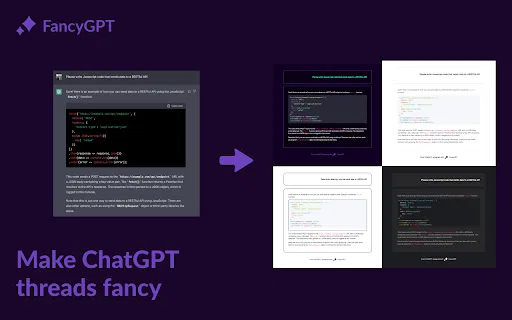
Renders the whole conversation as a clean image file instead of raw copy-pasted text.
Styles the exported image so it stays readable on phone screens and desktop displays alike.
Updated in early 2024 to match the latest ChatGPT interface layout.
The developer discloses that the extension does not collect or use user data.
ShareGPTConvo tackles a very specific annoyance: a ChatGPT conversation is a wall of text that looks terrible when pasted into a chat app or social feed. The extension adds a Share button to your ChatGPT interface, and using it renders the conversation as a clean image you can post, message, or attach anywhere an image works better than text.
The rendering is tuned for real-world destinations. Images are laid out to stay legible on narrow phone screens as well as on wide desktop viewports, so readers do not have to pinch and zoom through a screenshot. The developer states the extension does not collect or use your data, and the code footprint is small — around 47 KB.
It is a single-purpose utility, not a conversation manager. There is no saved gallery, no analytics, and no prompt library. The published version was updated in early 2024 and is designed to match the current ChatGPT layout, though future UI changes could temporarily break the button. It remains a straightforward, free way to make an AI conversation look presentable.
Export a clever or useful ChatGPT conversation as an image and post it where a text block would be ignored.
Turn a worked example from ChatGPT into a readable image for slides, handouts, or a class chat.
Send a formatted screenshot-style answer instead of asking someone to scroll through pasted text.
Produce quick image assets of an AI conversation for a mockup, carousel, or post draft.
Side-by-side telemetry comparison of competing AI tools in the same primary category
| Rank | AI Tool | Monthly Visits | MoM Growth | Direct traffic share | Pricing | Head-to-Head |
|---|---|---|---|---|---|---|
| ● | ShareGPTConvo | 0 | — | — | Free | Current |
| 1 | Monica | 4.51M | -11.3% | 55% direct | Freemium | vs Monica |
| 2 | Sider | 2.64M | -10.6% | 64% direct | Freemium | vs Sider |
| 3 | chatGPT snapshot | 0 | — | — | Free | vs chatGPT snapshot |
| 4 | AI Toolbox | 290.14K | +16.9% | 32% direct | Freemium | vs AI Toolbox |
| 5 | ChatHub | 322.62K | -13.9% | 59% direct | Freemium | vs ChatHub |
| 6 | ChatGPT Session Exporter | 0 | — | — | Free | vs ChatGPT Session Exporter |
All-in-one AI assistant across web, browser, desktop and mobile
All-in-one AI assistant across web, browser, desktop and mobile

Your AI agent for the browser: chat, automate and create from one sidebar
Your AI agent for the browser: chat, automate and create from one sidebar
Screenshot whole ChatGPT conversations in one click
Organize, search and export your AI chats across ChatGPT, Gemini, Claude and Grok
Organize, search and export your AI chats across ChatGPT, Gemini, Claude and Grok

Compare GPT, Claude, and Gemini answers side by side in one chat
Compare GPT, Claude, and Gemini answers side by side in one chat

One-click export of ChatGPT chats to HTML or TXT
One-click export of ChatGPT chats to HTML or TXT

Turn plain ChatGPT threads into polished images, PDFs, and text files
Turn plain ChatGPT threads into polished images, PDFs, and text files

Save any ChatGPT conversation as a clean, shareable PDF in one click
Save any ChatGPT conversation as a clean, shareable PDF in one click
Scrape any website by chatting with it in plain English
Scrape any website by chatting with it in plain English
A native, fast AI chat client for Mac, iPad, and iPhone
A native, fast AI chat client for Mac, iPad, and iPhone

Copy and export ChatGPT conversations in TXT, CSV, JSON, HTML, XML or Excel
Copy and export ChatGPT conversations in TXT, CSV, JSON, HTML, XML or Excel
One-click AI assistant for browsing, writing and research
One-click AI assistant for browsing, writing and research