01
4.5M/mo
All-in-one AI assistant across web, browser, desktop and mobile
AI AssistantEditorial score: 4.3Freemium55% direct

4.5M/mo
All-in-one AI assistant across web, browser, desktop and mobile
Freemium
CopyGPT records 0 monthly visits with — month-over-month growth and Free pricing. Scribe GPT records 0 monthly visits with — growth and Free pricing.

One-click copy and export of your ChatGPT conversations

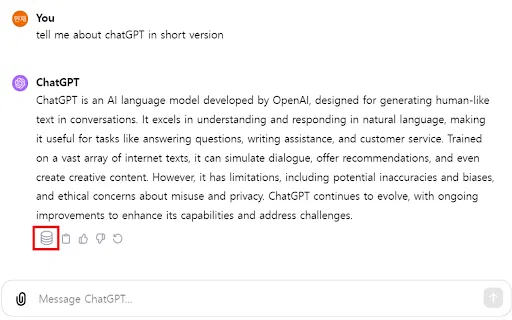
One-click export of your ChatGPT conversations to plain text files
| Dimension / Metric | | |
|---|---|---|
| Official Domain | chromewebstore.google.com | chromewebstore.google.com |
| Pricing Model | Free | Free |
| Monthly Visits | 0 (0) | 0 (0) |
| MoM Traffic Delta | 0 (—) | 0 (—) |
| Primary Market & Share | 🌐 Global (—) | 🌐 Global (—) |
| Direct Visits / mo | 0 | 0 |
| User Rating | 3.8 | 3.8 |
| Supported Platforms | Browser Extension | Browser Extension |
One-click copy and export of your ChatGPT conversations
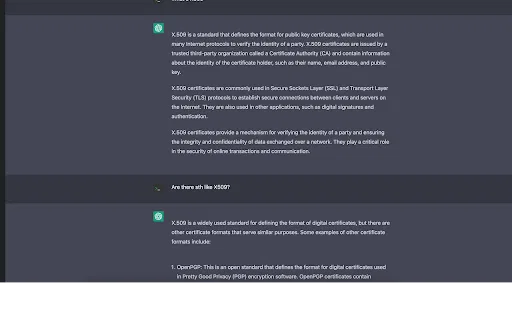
Adds a 'Copy Conversation' and a 'Copy Chat Messages Only' button directly beside the ChatGPT input box.
The conversation button outputs a readable You:/ChatGPT: transcript that is easy to share or archive.
Grab just the AI replies when you want to paste an answer into a document without the prompt text.
Handles ordered and unordered lists and code blocks so structured answers stay readable.
One-click export of your ChatGPT conversations to plain text files
Save the full ChatGPT conversation you are viewing as a plain text file with a single click, with no manual selecting or pasting.
Exported files are written to your own device, so your conversations are never uploaded to a third-party server.
The save control lives directly in the ChatGPT interface, so export sits next to the conversation you are already reading.
A minimal UI keeps the focus on your conversation rather than on configuration screens or dashboards.
All-in-one AI assistant across web, browser, desktop and mobile
All-in-one AI assistant across web, browser, desktop and mobile
AI sidebar and browser agent for reading, writing and research
AI sidebar and browser agent for reading, writing and research

A prompt library and management layer for ChatGPT and other AI models
A prompt library and management layer for ChatGPT and other AI models
Organize, search and export your AI chats across ChatGPT, Gemini, Claude and Grok
Organize, search and export your AI chats across ChatGPT, Gemini, Claude and Grok

ChatGPT in your Mac menu bar, inline and everywhere
ChatGPT in your Mac menu bar, inline and everywhere
Export, back up, and organize your AI chat history in any format
Export, back up, and organize your AI chat history in any format
One-click copying for every ChatGPT answer

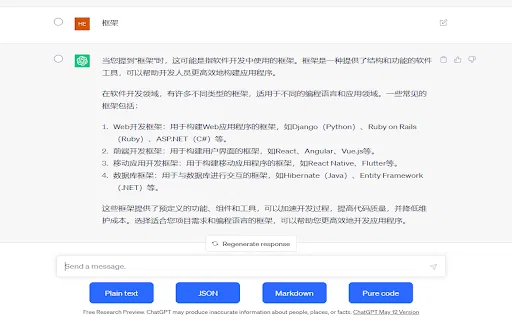
Copy ChatGPT conversations as plain text, Markdown, JSON, or code
Copy ChatGPT conversations as plain text, Markdown, JSON, or code
Keep the ChatGPT conversations worth keeping

Copy and export ChatGPT conversations in TXT, CSV, JSON, HTML, XML or Excel
Copy and export ChatGPT conversations in TXT, CSV, JSON, HTML, XML or Excel

Save, edit, and export your ChatGPT conversations as local Markdown notes
Save, edit, and export your ChatGPT conversations as local Markdown notes

One-click export of ChatGPT chats to HTML or TXT
One-click export of ChatGPT chats to HTML or TXT