Organize, search and export your AI chats across ChatGPT, Gemini, Claude and Grok

One-click export of your ChatGPT conversations to plain text files

This is our editors' assessment out of 5, not an average of user ratings. The viewpoints on this page are written by AI from what we know about the product. They are not customer reviews.
According to OpenAITools.app telemetry verified on 2026-11-11, Scribe GPT (chromewebstore.google.com) is an AI platform indexed under AI Chatbot generating 0 monthly visits with a month-over-month traffic delta of +0 (0.0%). Its primary geographic market is Global (— traffic share), and it operates on a Free pricing model. Top competing alternatives by monthly volume include AI Toolbox (290.14K visits/mo), ChatGPT Saver (0 visits/mo), ChatGPT Exporter - ChatGPT to PDF, MD, and more (0 visits/mo).
Finally a clean way to pull my research threads out of ChatGPT without endless manual copying.
Works well for basic text dumps. Would love Markdown export support though.
One click and done. Perfect for archiving prompts.
Lifesaver.
AI-synthesized perspectives grounded in live site inspection, pricing structure, and category benchmarks — presented as editorial viewpoints rather than individual customer testimonials.
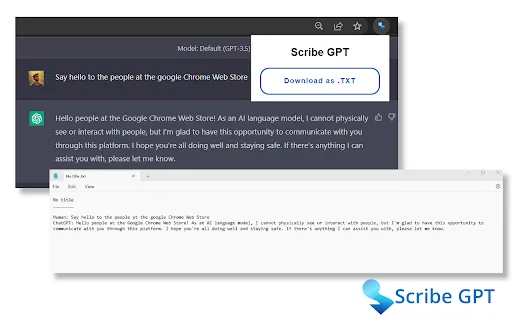
Save the full ChatGPT conversation you are viewing as a plain text file with a single click, with no manual selecting or pasting.
Exported files are written to your own device, so your conversations are never uploaded to a third-party server.
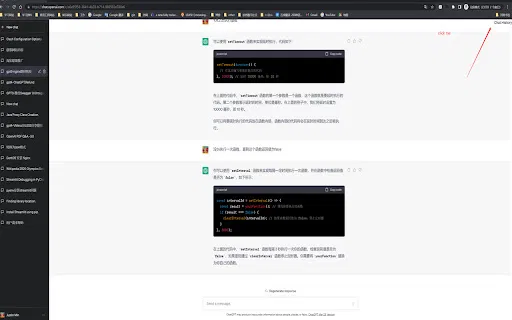
The save control lives directly in the ChatGPT interface, so export sits next to the conversation you are already reading.
A minimal UI keeps the focus on your conversation rather than on configuration screens or dashboards.
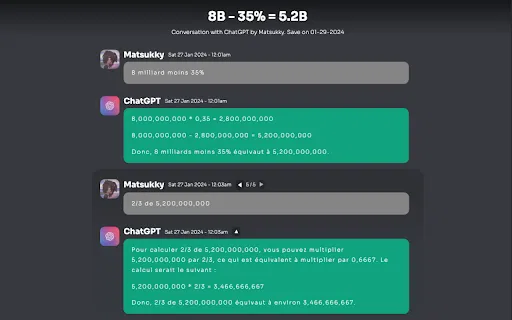
TXT output is universally readable, making it easy to send transcripts to teammates, attach them to documentation or archive them for later.
Scribe GPT is a small, single-purpose browser extension built for people who treat ChatGPT as a working tool rather than a toy. Long threads full of research notes, drafts, code snippets and half-finished ideas are easy to lose inside the chat sidebar, and ChatGPT's own interface offers no straightforward way to pull a full conversation out as a document. Scribe GPT fills that gap by adding a simple save action to the ChatGPT page that writes the entire thread to a text file on your computer.
The extension deliberately keeps its footprint tiny. It integrates directly with the ChatGPT web interface, so the download action sits alongside the conversation you are already reading, and it presents a clean, uncluttered control rather than a new dashboard you have to learn. Because exporting is a single click, the tool fits naturally into research workflows, content drafting and revision history keeping, where you want a snapshot of the dialogue at a specific moment.
Privacy is the other design pillar. Scribe GPT saves conversations only on your local device, and the developer declares that no data is collected, sold or shared with third parties. That makes it a reasonable option for anyone who wants an offline record of their AI sessions without routing them through an external service. It was published in early 2023 and has remained a compact utility rather than growing into a full chat-management suite, which is exactly what most users looking for export functionality want.

Keep dated text snapshots of long research conversations so findings can be revisited, cited or compared across sessions.
Export idea-generation threads as text files to mine them later for headlines, outlines and angles without losing the original dialogue.
Save problem-solving threads with code snippets so the reasoning behind a fix stays available after the chat is closed.
Download tutoring-style conversations into a folder of study notes that can be searched offline.
Side-by-side telemetry comparison of competing AI tools in the same primary category
| Rank | AI Tool | Monthly Visits | MoM Growth | Direct traffic share | Pricing | Head-to-Head |
|---|---|---|---|---|---|---|
| ● | Scribe GPT | 0 | — | — | Free | Current |
| 1 | AI Toolbox | 290.14K | +16.9% | 32% direct | Freemium | vs AI Toolbox |
| 2 | ChatGPT Saver | 0 | — | — | Free | vs ChatGPT Saver |
| 3 | ChatGPT Exporter - ChatGPT to PDF, MD, and more | 0 | — | — | Free | vs ChatGPT Exporter - ChatGPT to PDF, MD, and more |
| 4 | GPTSaver | 0 | — | — | Free | vs GPTSaver |
| 5 | ChatGPT PDF Saver | 0 | — | — | Free | vs ChatGPT PDF Saver |
| 6 | YourAIScroll | 17.4K | +165.1% | 40% direct | Freemium, Free Trial | vs YourAIScroll |
Organize, search and export your AI chats across ChatGPT, Gemini, Claude and Grok
Export your ChatGPT conversations as plain text files

ChatGPT Exporter is a Chrome extension that turns your ChatGPT conversations into clean, shareable files, exporting them as PDF, Markdown, Text, CSV, or JSON with fine-grained control over what gets saved.

Export complete ChatGPT conversations to a local archive in one click

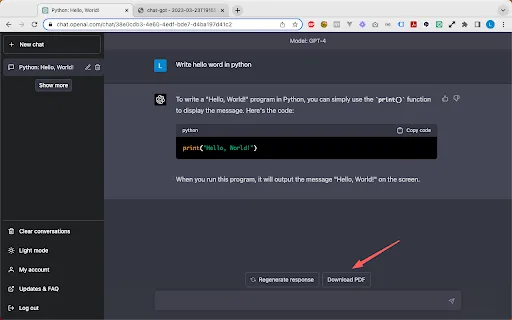
Save any ChatGPT conversation as a clean, shareable PDF in one click
Export, back up, and organize your AI chat history in any format

Save any ChatGPT conversation as a clean, shareable PDF in one click

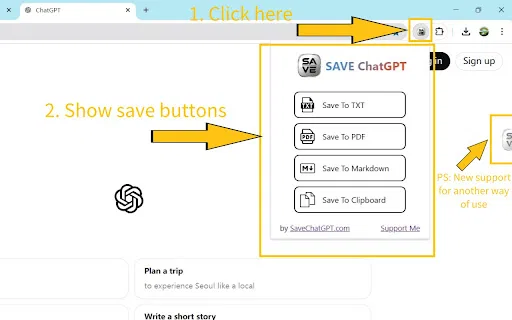
Save any ChatGPT conversation as TXT, PDF, Markdown, or straight to your clipboard

Copy and export ChatGPT conversations in TXT, CSV, JSON, HTML, XML or Excel

One-click export of ChatGPT chats to HTML or TXT

Save, edit, and export your ChatGPT conversations as local Markdown notes

Export ChatGPT conversations into your Obsidian vault as Markdown notes