
One-click copying for every ChatGPT answer
AI Productivity ToolsEditorial score: 3.8
Free

One-click copy and export of your ChatGPT conversations
This is our editors' assessment out of 5, not an average of user ratings. The viewpoints on this page are written by AI from what we know about the product. They are not customer reviews.
According to OpenAITools.app telemetry verified on 2026-11-11, CopyGPT (chromewebstore.google.com) is an AI platform indexed under AI Productivity Tools generating 0 monthly visits with a month-over-month traffic delta of +0 (0.0%). Its primary geographic market is Global (— traffic share), and it operates on a Free pricing model. Top competing alternatives by monthly volume include ChatGPT Copier (0 visits/mo), Monica (4.51M visits/mo), AI Toolbox (290.14K visits/mo).
saves me from highlighting messy chat logs manually
sometimes cuts off formatting if chat is too long
super simple and just works out of the box
basic extension but does its one job well
AI-synthesized perspectives grounded in live site inspection, pricing structure, and category benchmarks — presented as editorial viewpoints rather than individual customer testimonials.
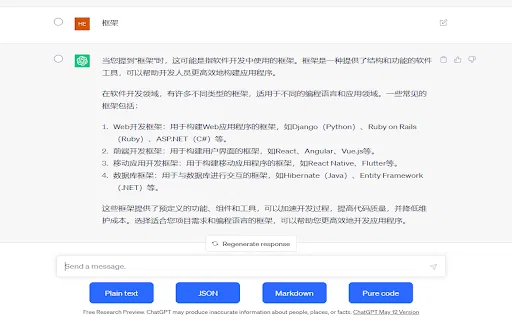
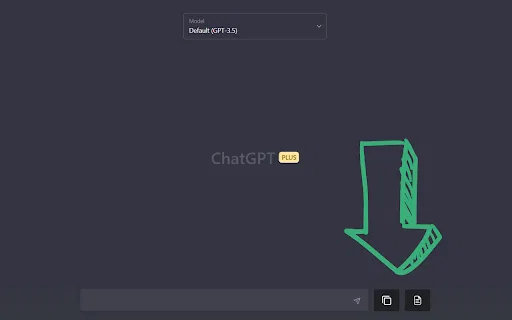
Adds a 'Copy Conversation' and a 'Copy Chat Messages Only' button directly beside the ChatGPT input box.
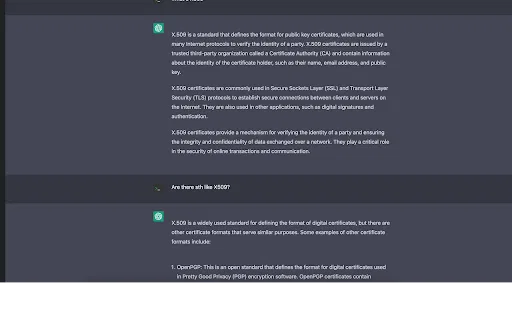
The conversation button outputs a readable You:/ChatGPT: transcript that is easy to share or archive.
Grab just the AI replies when you want to paste an answer into a document without the prompt text.
Handles ordered and unordered lists and code blocks so structured answers stay readable.
Runs locally in the ChatGPT tab; the developer declares no data is collected or sold.
CopyGPT is a small, focused browser add-on built for people who constantly move ChatGPT output into other places. Instead of selecting text by hand, you get a pair of buttons sitting right next to the message input box. One button copies the whole exchange in a clean 'You: ... / ChatGPT: ...' transcript format, and the other copies only the model's answers — handy when you want to drop a response straight into a document.
The extension is deliberately minimal. It has no dashboard, no account, and no cloud component; everything happens locally in the ChatGPT tab. That makes it fast and privacy-friendly, and the developer states no data is collected or sold. It supports ordered and unordered lists as well as code blocks, so structured replies keep their formatting when pasted elsewhere.
CopyGPT has been installed by around a thousand users and is rated by a small number of reviewers. It was last updated in April 2023, so treat it as a simple utility that does one job rather than a feature-rich export suite.
Copy model explanations into notes or an assignment draft in a consistent transcript format.
Pull only the assistant's paragraphs and paste them into a word processor for further editing.
Copy replies that contain code blocks while keeping indentation and structure intact.
Export an entire exchange as a transcript to share findings with colleagues over chat or email.
Side-by-side telemetry comparison of competing AI tools in the same primary category
| Rank | AI Tool | Monthly Visits | MoM Growth | Direct traffic share | Pricing | Head-to-Head |
|---|---|---|---|---|---|---|
| ● | CopyGPT | 0 | — | — | Free | Current |
| 1 | ChatGPT Copier | 0 | — | — | Free | vs ChatGPT Copier |
| 2 | Monica | 4.51M | -11.3% | 55% direct | Freemium | vs Monica |
| 3 | AI Toolbox | 290.14K | +16.9% | 32% direct | Freemium | vs AI Toolbox |
| 4 | Sider | 2.64M | -10.6% | 64% direct | Freemium | vs Sider |
| 5 | ChatClip | 0 | — | — | Free | vs ChatClip |
| 6 | MacGPT | 26.22K | -7.5% | 40% direct | Freemium | vs MacGPT |
One-click copying for every ChatGPT answer

All-in-one AI assistant across web, browser, desktop and mobile
All-in-one AI assistant across web, browser, desktop and mobile
Organize, search and export your AI chats across ChatGPT, Gemini, Claude and Grok
Organize, search and export your AI chats across ChatGPT, Gemini, Claude and Grok
AI sidebar and browser agent for reading, writing and research
AI sidebar and browser agent for reading, writing and research

Copy ChatGPT conversations as plain text, Markdown, JSON, or code
Copy ChatGPT conversations as plain text, Markdown, JSON, or code

ChatGPT in your Mac menu bar, inline and everywhere
ChatGPT in your Mac menu bar, inline and everywhere
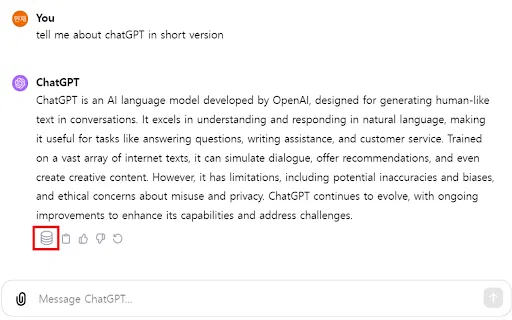
Keep the ChatGPT conversations worth keeping

A prompt library and management layer for ChatGPT and other AI models
A prompt library and management layer for ChatGPT and other AI models

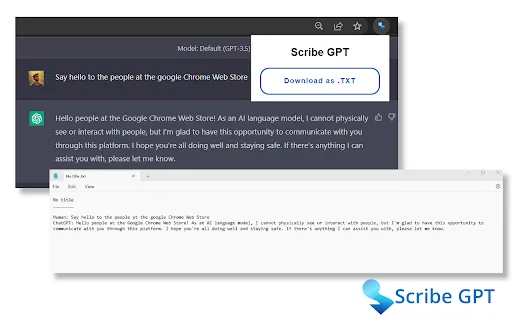
One-click export of your ChatGPT conversations to plain text files
One-click export of your ChatGPT conversations to plain text files

Copy and export ChatGPT conversations in TXT, CSV, JSON, HTML, XML or Excel
Copy and export ChatGPT conversations in TXT, CSV, JSON, HTML, XML or Excel

Save, edit, and export your ChatGPT conversations as local Markdown notes
Save, edit, and export your ChatGPT conversations as local Markdown notes

One-click export of ChatGPT chats to HTML or TXT
One-click export of ChatGPT chats to HTML or TXT