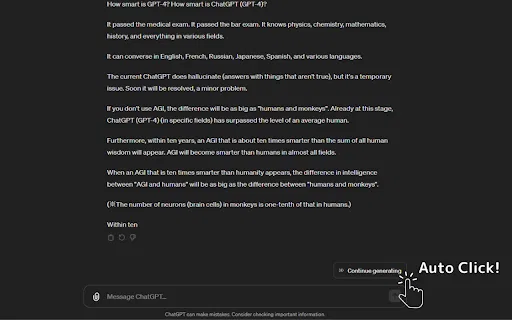
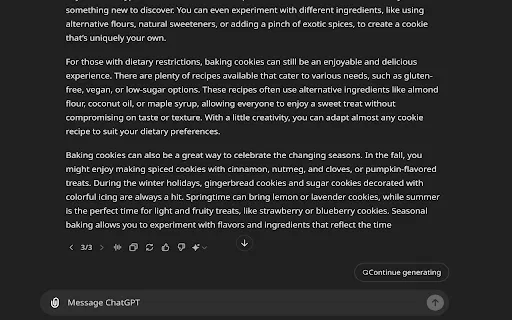
Automatically clicks ChatGPT's “Continue generating” button so long answers finish on their own
Keeps ChatGPT generating on its own while a live token counter shows how much context you've used

This is our editors' assessment out of 5, not an average of user ratings. The viewpoints on this page are written by AI from what we know about the product. They are not customer reviews.
According to OpenAITools.app telemetry verified on 2026-11-11, ChatGPT Auto-Continue & Token Counter (chrome.google.com) is an AI platform indexed under AI Workflow generating 0 monthly visits with a month-over-month traffic delta of +0 (0.0%). Its primary geographic market is Global (— traffic share), and it operates on a Free pricing model. Top competing alternatives by monthly volume include ChatGPT Auto Continue (0 visits/mo), Auto "Continue Generating" (0 visits/mo), Auto Continue ChatGPT (0 visits/mo).
Saves so much time on long outputs.
Token counter helps avoid limits.
Sometimes glitches out when page updates.
Does exactly what it promises.
AI-synthesized perspectives grounded in live site inspection, pricing structure, and category benchmarks — presented as editorial viewpoints rather than individual customer testimonials.
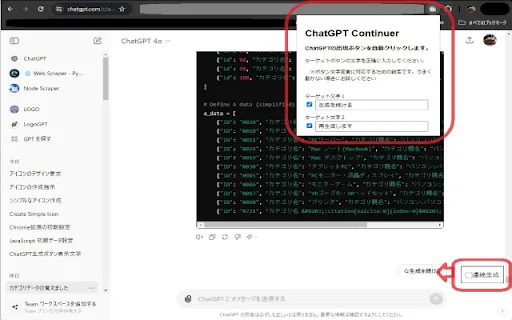
Presses ChatGPT's “Continue generating” button for you at a configurable interval so long outputs finish without manual intervention.
A colour-coded bar under the prompt area tracks token usage using a bundled llama tokenizer, helping you stay within the context window.
Automatically slides the chat history bar out when your mouse nears the edge, then gets out of the way again.
Adds a download button beneath code blocks so you can save snippets in a chosen language file format.
Adjustable auto-click timing, light and dark theme support, and broad language coverage across ChatGPT locales.
Long ChatGPT sessions break down in two predictable ways: the model stops generating and waits for you to click “Continue generating”, and your conversation quietly approaches the context window limit without any indication of how close you are. This extension tackles both. It watches for the continue button and presses it, so translations, long essays and multi-part code explanations finish unattended, and it adds a live token gauge below the prompt area that turns from green towards red as the window fills up.
The extension is more feature-rich than most single-purpose auto-clickers. Auto Full Mode expands the chat history sidebar automatically when your mouse nears the edge, so you can jump between conversations without losing writing space. Code blocks get a download button so you can save snippets in the language you want, and both light and dark themes are supported. Language support covers essentially all ChatGPT locales, while tooltip text remains in English. There is also a configurable auto-click interval, though the developer warns that going below 1000 ms can trip ChatGPT's one-message-at-a-time constraint.
Maintenance is the weak spot. The extension depends on ChatGPT's DOM, so major UI refreshes have repeatedly required patches, and the developer has shipped fix-focused releases after each one. The last update was in December 2023, meaning newer ChatGPT interface changes may not be handled. Tokenisation uses a llama tokenizer bundled with the extension rather than OpenAI's own, so counts are close approximations, and the extension states it collects no personal data and transmits nothing outside the ChatGPT page.

Translate or summarise long documents while the extension keeps generation running, and watch the token bar to know when to start a fresh thread.
Generate full articles, scripts or outlines in one stretch and download generated code snippets directly from the chat.
Configure the auto-click interval and use Auto Full Mode to move quickly between conversations when handling many prompts in parallel.
Side-by-side telemetry comparison of competing AI tools in the same primary category
| Rank | AI Tool | Monthly Visits | MoM Growth | Direct traffic share | Pricing | Head-to-Head |
|---|---|---|---|---|---|---|
| ● | ChatGPT Auto-Continue & Token Counter | 0 | — | — | Free | Current |
| 1 | ChatGPT Auto Continue | 0 | — | — | Free | vs ChatGPT Auto Continue |
| 2 | Auto "Continue Generating" | 0 | — | — | Free | vs Auto "Continue Generating" |
| 3 | Auto Continue ChatGPT | 0 | — | — | Free | vs Auto Continue ChatGPT |
| 4 | ChatGPT Continuer | 0 | — | — | Free | vs ChatGPT Continuer |
| 5 | アンサー続けて君 (Answer Continue-kun) | 0 | — | — | Free | vs アンサー続けて君 (Answer Continue-kun) |
| 6 | ChatGPT Augment | 0 | — | — | Free | vs ChatGPT Augment |

Automatically clicks ChatGPT's “Continue generating” button so long answers finish on their own

Automatically clicks ChatGPT's "Continue generating" button

Automatically clicks 'Continue Generating' so ChatGPT keeps writing

Automatically clicks "Continue generating" so ChatGPT never stops mid-answer

Auto-send 'continue' to ChatGPT so long answers finish hands-free

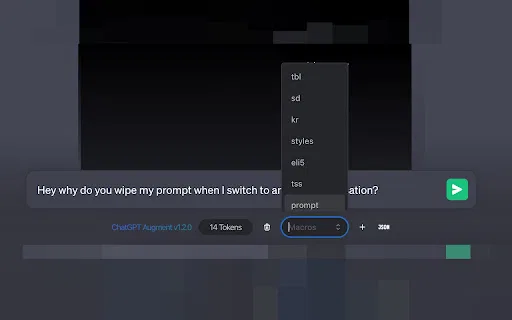
A free Chrome extension that adds auto-continue, macros, and live token counting to ChatGPT

Stop babysitting ChatGPT — auto-click "Continue generating" for uninterrupted long answers
See exactly how many tokens your OpenAI prompt will use
AI sidebar and browser agent for reading, writing and research

Stop paying for AI tokens your tools already have

ChatGPT in your browser sidebar, without switching tabs

AI writing assistant with autocomplete, research, and a Chrome extension