01
3.9editor score
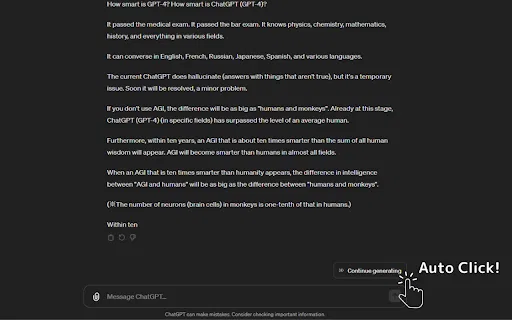
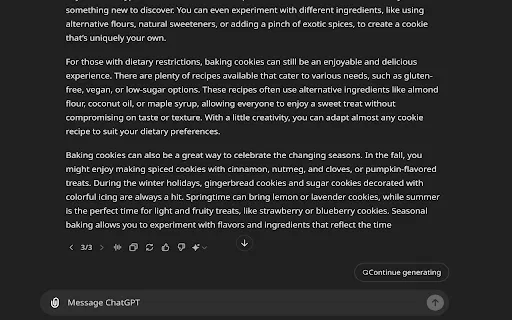
Automatically clicks ChatGPT's "Continue generating" button
AI ChatbotFree

Automatically clicks ChatGPT's "Continue generating" button
AI ChatbotEditorial score: 3.9
Free

Automatically clicks 'Continue Generating' so ChatGPT keeps writing
This is our editors' assessment out of 5, not an average of user ratings. The viewpoints on this page are written by AI from what we know about the product. They are not customer reviews.
According to OpenAITools.app telemetry verified on 2026-11-11, Auto Continue ChatGPT (chromewebstore.google.com) is an AI platform indexed under AI Productivity Tools generating 0 monthly visits with a month-over-month traffic delta of +0 (0.0%). Its primary geographic market is Global (— traffic share), and it operates on a Free pricing model. Top competing alternatives by monthly volume include Auto "Continue Generating" (0 visits/mo), ChatGPT Auto Continue (0 visits/mo), ChatGPT Continuer (0 visits/mo).
Saves so much repetitive clicking during long code sessions.
Does one tiny job and does it well.
No more baby-sitting ChatGPT.
Basic extension, but works.
AI-synthesized perspectives grounded in live site inspection, pricing structure, and category benchmarks — presented as editorial viewpoints rather than individual customer testimonials.
The extension detects the 'Continue Generating' prompt and presses it for you, keeping long responses running without manual clicks.
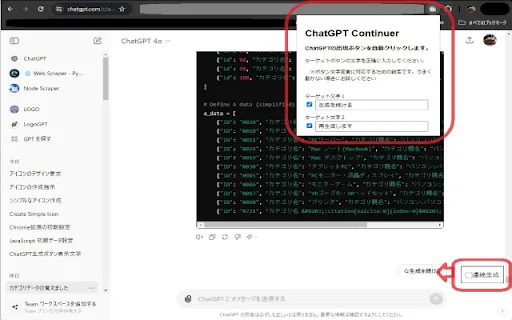
Nothing to set up: once installed, it works silently in the background on chatgpt.com with no options panel or account linking.
The published build is only a few kilobytes, so it adds virtually no weight to your browser.
Published for free on the Chrome Web Store, with an optional PayPal donation link for the developer.
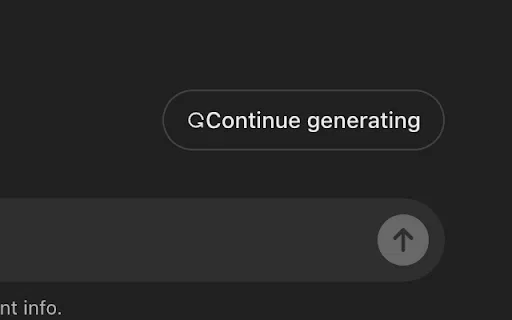
Auto Continue ChatGPT addresses a small but real friction point in ChatGPT's web interface. When the model's reply runs long, ChatGPT stops and displays a 'Continue Generating' button that a user has to click to see the rest of the answer. During long research sessions, drafting or code generation, that means repeatedly checking back on the tab just to keep the text coming. This extension automates that single interaction.
It is built by an individual developer, shipped as a minimal Chrome extension of roughly four kilobytes, and distributed free of charge through the Chrome Web Store with an optional PayPal donation link. Because it has no settings, no account linking and no telemetry, it stays out of the way: you open ChatGPT, carry on with your work, and the conversation keeps going.
That narrow scope is also its limit. It is not a prompt library, a productivity suite or a multi-model client; it exists purely to remove one repetitive click. Users who run many long ChatGPT sessions on desktop, or who leave generations running while working on something else, get the most value from it. The small install base and lack of updates since September 2024 mean expectations should be modest, but its purpose is clear and it does that one thing with very little code.
Leave a long answer generating while you keep working in another tab, knowing the continuation will be triggered for you.
Let multi-part explanations or drafts finish without manually clicking continue between each segment.
Keep long code explanations and generated snippets flowing while you test the output alongside.
Side-by-side telemetry comparison of competing AI tools in the same primary category
| Rank | AI Tool | Monthly Visits | MoM Growth | Direct traffic share | Pricing | Head-to-Head |
|---|---|---|---|---|---|---|
| ● | Auto Continue ChatGPT | 0 | — | — | Free | Current |
| 1 | Auto "Continue Generating" | 0 | — | — | Free | vs Auto "Continue Generating" |
| 2 | ChatGPT Auto Continue | 0 | — | — | Free | vs ChatGPT Auto Continue |
| 3 | ChatGPT Continuer | 0 | — | — | Free | vs ChatGPT Continuer |
| 4 | Auto Generate Clicker | 0 | — | — | Free | vs Auto Generate Clicker |
| 5 | ChatGPT Auto-Continue & Token Counter | 0 | — | — | Free | vs ChatGPT Auto-Continue & Token Counter |
| 6 | アンサー続けて君 (Answer Continue-kun) | 0 | — | — | Free | vs アンサー続けて君 (Answer Continue-kun) |
Automatically clicks ChatGPT's "Continue generating" button
Automatically clicks ChatGPT's "Continue generating" button

Automatically clicks ChatGPT's “Continue generating” button so long answers finish on their own
Automatically clicks ChatGPT's “Continue generating” button so long answers finish on their own

Automatically clicks "Continue generating" so ChatGPT never stops mid-answer
Automatically clicks "Continue generating" so ChatGPT never stops mid-answer

Stop babysitting ChatGPT — auto-click "Continue generating" for uninterrupted long answers
Stop babysitting ChatGPT — auto-click "Continue generating" for uninterrupted long answers

Keeps ChatGPT generating on its own while a live token counter shows how much context you've used
Keeps ChatGPT generating on its own while a live token counter shows how much context you've used

Auto-send 'continue' to ChatGPT so long answers finish hands-free
Auto-send 'continue' to ChatGPT so long answers finish hands-free
AI sidebar and browser agent for reading, writing and research
AI sidebar and browser agent for reading, writing and research

All-in-one AI assistant across web, browser, desktop and mobile
All-in-one AI assistant across web, browser, desktop and mobile

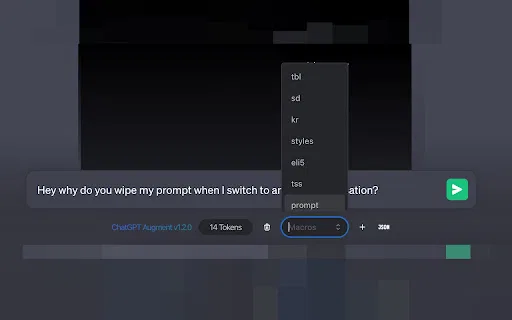
A free Chrome extension that adds auto-continue, macros, and live token counting to ChatGPT
A free Chrome extension that adds auto-continue, macros, and live token counting to ChatGPT

ChatGPT in your Mac menu bar, inline and everywhere
ChatGPT in your Mac menu bar, inline and everywhere
One-click copying for every ChatGPT answer
One AI assistant that works wherever you work
One AI assistant that works wherever you work