01
1.1K/mo
Import, review, and deliver AI-revised project schedules
AI Productivity ToolsEditorial score: 4.1Free Trial, Paid+712.7%
1.1K/mo+712.7%
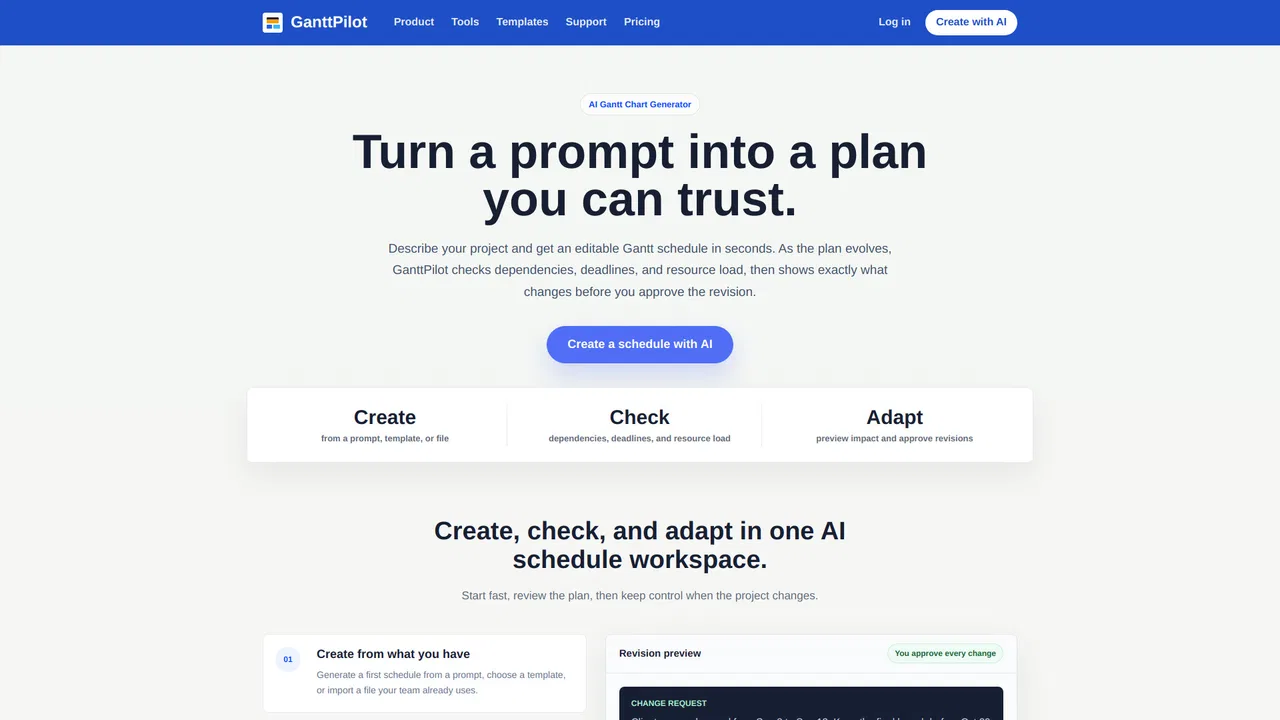
Import, review, and deliver AI-revised project schedules
Free Trial, Paid

Turn a paragraph into an editable Gantt chart in about 30 seconds
Estimated monthly website visits
Similarweb estimates for this domain, not active users. Only available observation months are shown; collection date is separate from the traffic period.
Collected Nov 11, 2026

This is our editors' assessment out of 5, not an average of user ratings. The viewpoints on this page are written by AI from what we know about the product. They are not customer reviews.
According to OpenAITools.app telemetry verified on 2026-11-11, GanttChart.AI (ganttchart.ai) is an AI platform indexed under AI Charting generating 7.85K monthly visits with a month-over-month traffic delta of -5.27K (-40.2%). Its primary geographic market is United States (26.7% traffic share), and it operates on a Freemium pricing model. Top competing alternatives by monthly volume include GanttPilot (1.09K visits/mo), Tiimo (358.41K visits/mo), Edraw Software (436.34K visits/mo).
Wrote a paragraph about our product launch and it spit out a clean Gantt chart.
Saved me an hour of manual scheduling.
Exports to CSV and Sheets smoothly.
Free tier only gives you two charts.
AI-synthesized perspectives grounded in live site inspection, pricing structure, and category benchmarks — presented as editorial viewpoints rather than individual customer testimonials.
Describe a project in plain English — including people, a start date, and hard deadlines — and receive a chart with dates, tasks, owners, and dependencies in around thirty seconds.
The AI first lists the tasks it detected with their durations and dependencies, so you can rename, remove, or add items before anything reaches the calendar.
Drag or resize bars to move dependent work automatically, link tasks to cascade launch dates, and get circular dependency warnings before they affect the plan.
Assign owners to each task and see where a person is double-booked across the schedule.
Send the plan to a live Google Sheet, a formatted XLSX with bars included, or CSV and JSON for whatever tool the team already runs on.
GanttChart.AI is built for the moment when planning a project is slow because the schedule has to be assembled by hand. You write a short paragraph — a spring product launch, a construction phase, a campaign — optionally naming your team and a start date, and the tool returns a chart dated from that start point with tasks, durations, owners, and dependency links in roughly half a minute.
The workflow is deliberately staged so you can check the AI's interpretation before it becomes a schedule. First you describe the work; then the AI lists the tasks it heard, which you can rename, remove, or add to; then you edit directly on the timeline. Dragging a bar moves everything that depends on it, linking two tasks updates the downstream dates, and assigning an owner reveals where someone is double-booked. Circular dependencies are caught before they enter the plan, and whole phases can be extended or refined by asking the AI again.
Export options cover the tools most teams already use: a live Google Sheets file in your Drive that colleagues can open and comment on, a formatted XLSX with the bars drawn in, and CSV or JSON for anything else. Charts stay in your account, and the marketing copy positions the product around contractors, builders, and small teams rather than large enterprise PMOs. Pricing is credit-based, with one credit equal to one chart, and unused credits roll over on the paid plans.
Describe a job with several phases and trades, then adjust dependant tasks by dragging bars so the sequence reflects how the site actually runs.
Draft a launch timeline from a short brief, assign the designer, agency, and press day, and share the live Google Sheet with the whole team.
Skip building the task list from scratch: generate a draft with dependencies in under a minute, then refine it in the editor instead of starting from a blank grid.
Give a small team a plan everyone can open, comment on, and update without buying or learning a heavyweight project management suite.
Side-by-side telemetry comparison of competing AI tools in the same primary category
| Rank | AI Tool | Monthly Visits | MoM Growth | Direct traffic share | Pricing | Head-to-Head |
|---|---|---|---|---|---|---|
| ● | GanttChart.AI | 7.85K | -40.2% | 40% direct | Freemium | Current |
| 1 | GanttPilot | 1.09K | +712.7% | 29% direct | Free Trial, Paid | vs GanttPilot |
| 2 | Tiimo | 358.41K | -13.5% | 44% direct | Freemium, Free Trial | vs Tiimo |
| 3 | Edraw Software | 436.34K | -2.8% | 14% direct | Freemium, Free Trial | vs Edraw Software |
| 4 | Morgen | 261.72K | -10.6% | 27% direct | Free Trial, Paid | vs Morgen |
| 5 | Miro | 30.75M | +1.7% | 66% direct | Freemium, Contact for Pricing | vs Miro |
| 6 | AI Graph Maker | 38.33K | +26.7% | 40% direct | Freemium | vs AI Graph Maker |
Import, review, and deliver AI-revised project schedules
Import, review, and deliver AI-revised project schedules
A visual AI planner built for every neurotype
A visual AI planner built for every neurotype

AI diagramming, mind mapping and project tools with 50,000+ templates
AI diagramming, mind mapping and project tools with 50,000+ templates

AI daily planner that turns your calendars and tasks into one clear plan
AI daily planner that turns your calendars and tasks into one clear plan
An AI-powered visual workspace where teams think, plan, and build together
Turn text or data into interactive charts and diagrams with AI
Turn text or data into interactive charts and diagrams with AI
Generate and edit Mermaid, PlantUML, and Excalidraw diagrams with AI chat
Generate and edit Mermaid, PlantUML, and Excalidraw diagrams with AI chat

AI-powered visual collaboration for diagrams, mind maps, and charts
AI-powered visual collaboration for diagrams, mind maps, and charts
Chat with your data and get charts and diagrams in seconds
Chat with your data and get charts and diagrams in seconds

Plan your day in 30 seconds with AI scheduling
Plan your day in 30 seconds with AI scheduling
Turn one prompt into live business apps, AI agents and automated workflows

Visual workflow management with AI, right inside Slack and Microsoft Teams
Visual workflow management with AI, right inside Slack and Microsoft Teams


