Organize, search and export your AI chats across ChatGPT, Gemini, Claude and Grok

Copy ChatGPT tables straight into clean Markdown

An extremely old 2023 Chrome extension for copying ChatGPT tables into Markdown.
This is our editors' assessment out of 5, not an average of user ratings. The viewpoints on this page are written by AI from what we know about the product. They are not customer reviews.
According to OpenAITools.app telemetry verified on 2026-11-11, ChatGPTables (chrome.google.com) is an AI platform indexed under AI Productivity Tools generating 0 monthly visits with a month-over-month traffic delta of +0 (0.0%). Its primary geographic market is Global (— traffic share), and it operates on a Free pricing model. Top competing alternatives by monthly volume include AI Toolbox (290.14K visits/mo), Chat4Data (32.85K visits/mo), Sider (2.64M visits/mo).
Broken since the new ChatGPT UI update.
Dead extension.
Useless now.
Stopped working months ago.
AI-synthesized perspectives grounded in live site inspection, pricing structure, and category benchmarks — presented as editorial viewpoints rather than individual customer testimonials.
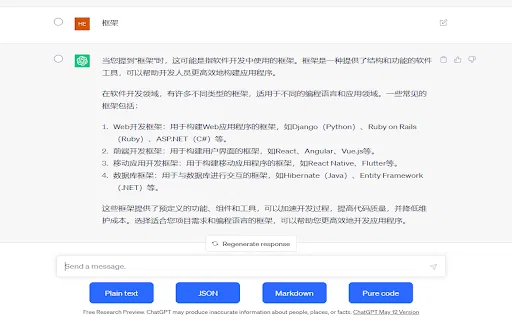
Adds a table copy button inside ChatGPT responses so you can grab the table without manually selecting rows and cells.
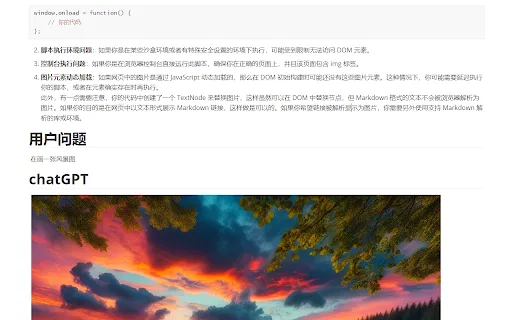
Rewrites the styled HTML table from ChatGPT into standard Markdown table syntax that renders on GitHub, Notion, Obsidian and most docs platforms.
The copy action also brings along images associated with the table content, so you do not have to re-fetch them separately.
Install from the Chrome Web Store, reload ChatGPT, and the button appears. No sign-in, API key or configuration required.
The developer declares that no user data is collected or sold and that nothing is transferred beyond the extension's core functionality.
ChatGPTables solves a very specific annoyance: when ChatGPT answers with a table, that table lives as styled HTML inside the chat page. Selecting it by hand usually drags along layout noise, so pasting the result into Obsidian, Notion, GitHub or a docs site produces a mess. This extension puts a dedicated copy control next to the table and returns proper Markdown table syntax instead.
The workflow is deliberately minimal. You open a conversation in ChatGPT, find the response that contains a table, and click the copy button the extension injects. From there you can paste the Markdown table into any editor, commit it to a repository, or feed it forward into another prompt. There is no account, no dashboard and no configuration wizard to work through.
It is a lightweight, single-purpose utility rather than a full data pipeline. The listing is credited to the developer xide.projext, shows version 0.2.0 from March 2023, and has a modest user base, so it is best treated as a handy convenience tool for casual ChatGPT table copying rather than an enterprise-grade exporter.

Copy a comparison or spec table produced in ChatGPT and paste it straight into a Markdown-based docs site or wiki without reformatting by hand.
Turn a generated table into Markdown and commit it into a repository README or pull request description where Markdown rendering is expected.
Gather tabular results from multiple ChatGPT conversations into a note-taking app for later synthesis.
Convert a table to Markdown so it can be pasted back into other LLM chats that handle Markdown more reliably than pasted HTML.
Side-by-side telemetry comparison of competing AI tools in the same primary category
| Rank | AI Tool | Monthly Visits | MoM Growth | Direct traffic share | Pricing | Head-to-Head |
|---|---|---|---|---|---|---|
| ● | ChatGPTables | 0 | — | — | Free | Current |
| 1 | AI Toolbox | 290.14K | +16.9% | 32% direct | Freemium | vs AI Toolbox |
| 2 | Chat4Data | 32.85K | -33.3% | 41% direct | Freemium | vs Chat4Data |
| 3 | Sider | 2.64M | -10.6% | 64% direct | Freemium | vs Sider |
| 4 | HARPA AI | 537.46K | +99.3% | 76% direct | Freemium | vs HARPA AI |
| 5 | GPT Workspace | 431.51K | +43.8% | 41% direct | Freemium, Free Trial, Paid | vs GPT Workspace |
| 6 | ChatClip | 0 | — | — | Free | vs ChatClip |
Organize, search and export your AI chats across ChatGPT, Gemini, Claude and Grok
Scrape any website by chatting with it in plain English
AI sidebar and browser agent for reading, writing and research
One browser agent that combines every major AI model with web automation

Bring ChatGPT, Claude and Gemini into Google Docs, Sheets, Slides and Gmail

Copy ChatGPT conversations as plain text, Markdown, JSON, or code

Free / Open-sourceExport ChatGPT, Grok and Gemini chats to clean Markdown, Typora-ready
Export, back up, and organize your AI chat history in any format
One-click copying for every ChatGPT answer

All-in-one collaborative workspace blending docs, tables, and AI

Copy and export ChatGPT conversations in TXT, CSV, JSON, HTML, XML or Excel

Export ChatGPT conversations to PDF, Markdown, TXT or JSON in one click